


Most new brands come to us with the same problem. They have a great product, but only one or two of them, and they need a store that feels premium and still sells from the first day.
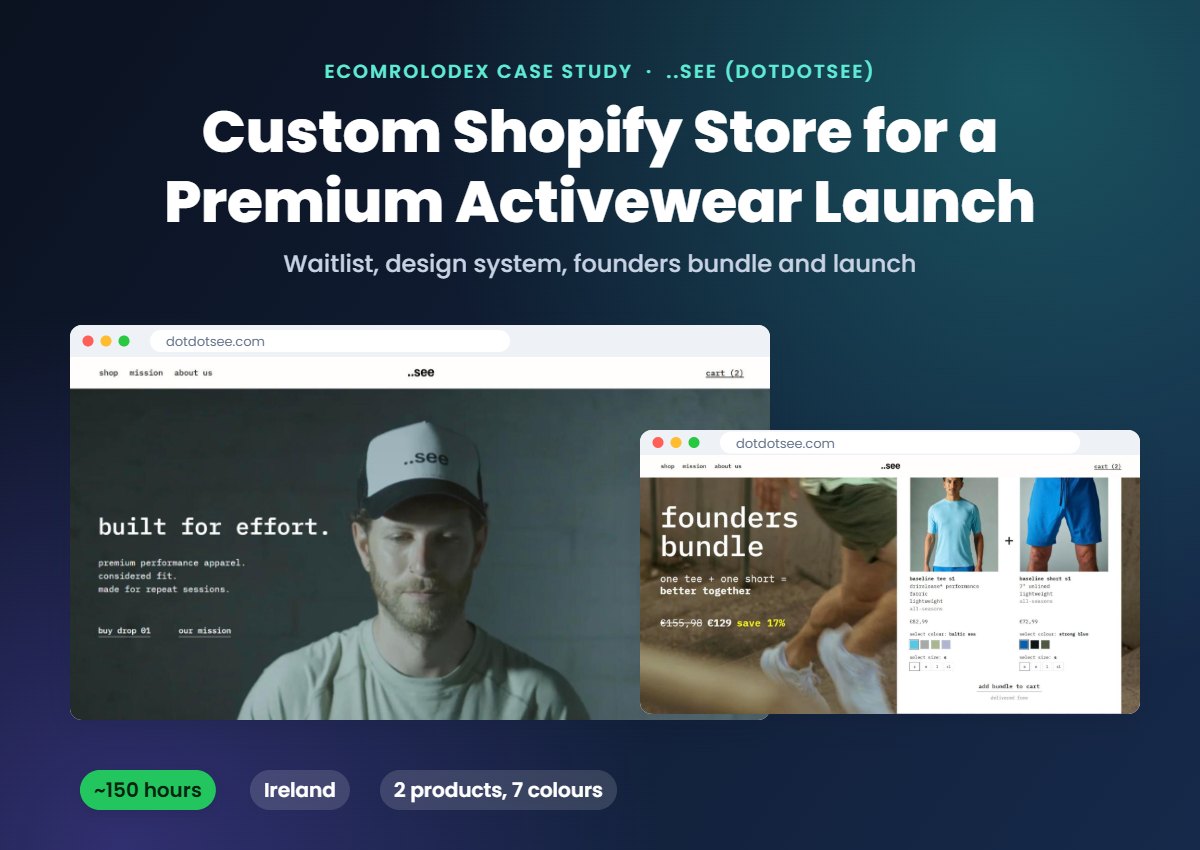
That was ..see (dotdotsee), an Irish brand making performance apparel for men, founded by Michael Buckley in Dublin. They launched with one tee and one short, and Michael came to us to design and build the whole Shopify store from scratch.
The store is live now at dotdotsee.com. About 150 hours of design, code, emails and support, from April to October 2026.
In this case study I'll show you how we did it: the waitlist page we built before the store, the design system, the founders bundle, the native code the owner can edit himself, the cart, the email automations and how we worked together on WhatsApp, Google Meet and one dev sheet.
Quick overview
- Client: ..see (dotdotsee), premium performance apparel for men from Dublin, Ireland
- Founder: Michael Buckley
- Store: custom Shopify store built from scratch, dotdotsee.com
- Products at launch: 1 tee in 4 colours and 1 short in 3 colours
- What we did: waitlist page, design system, page designs in Figma, native Shopify code, founders bundle, cart with Flex Upsell, Omnisend email automations, QA and support
- Time: about 150 hours, April to October 2026
- Review: 5 stars on Trustpilot, "Working with Nick was a real pleasure"
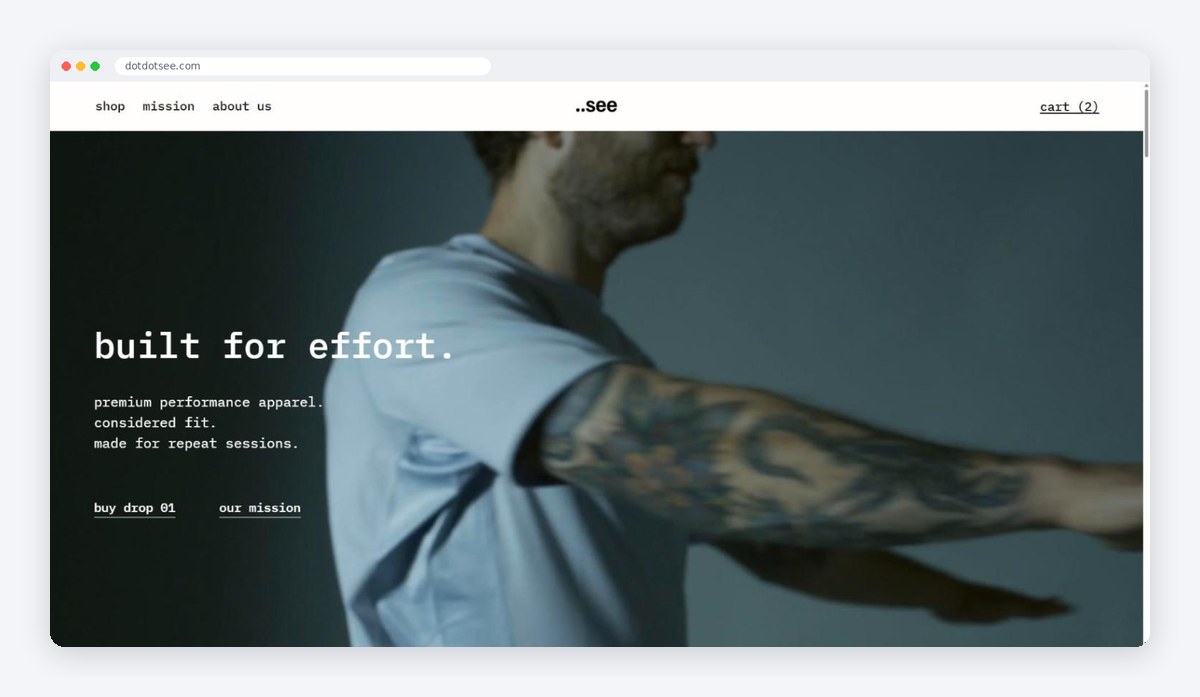
..see is built on one idea: progress is made before it's seen. The dots are the repeated sessions and the quiet work, and the "see" is the moment it starts to show. They call it unseen work.
Michael sent us a brand deck, brand guidelines and 5 websites he liked, like LNDR, Vuori, Ciele and On. The goal was clear:
- A clean, premium store that matches the brand
- Products explained in a simple, understated way
- Built to sell from day one, with only 2 products
- Easy for his team to edit after launch, without a developer
Step 1: A waitlist page before the store
The products weren't ready yet, but the brand wanted to start building a list. So the first thing we built was a waitlist page, desktop and mobile, with the signup connected to Omnisend. Everyone who joined got a welcome email.
This way the brand had people waiting for drop 01 before a single product page existed.
Step 2: A design system and every page in Figma
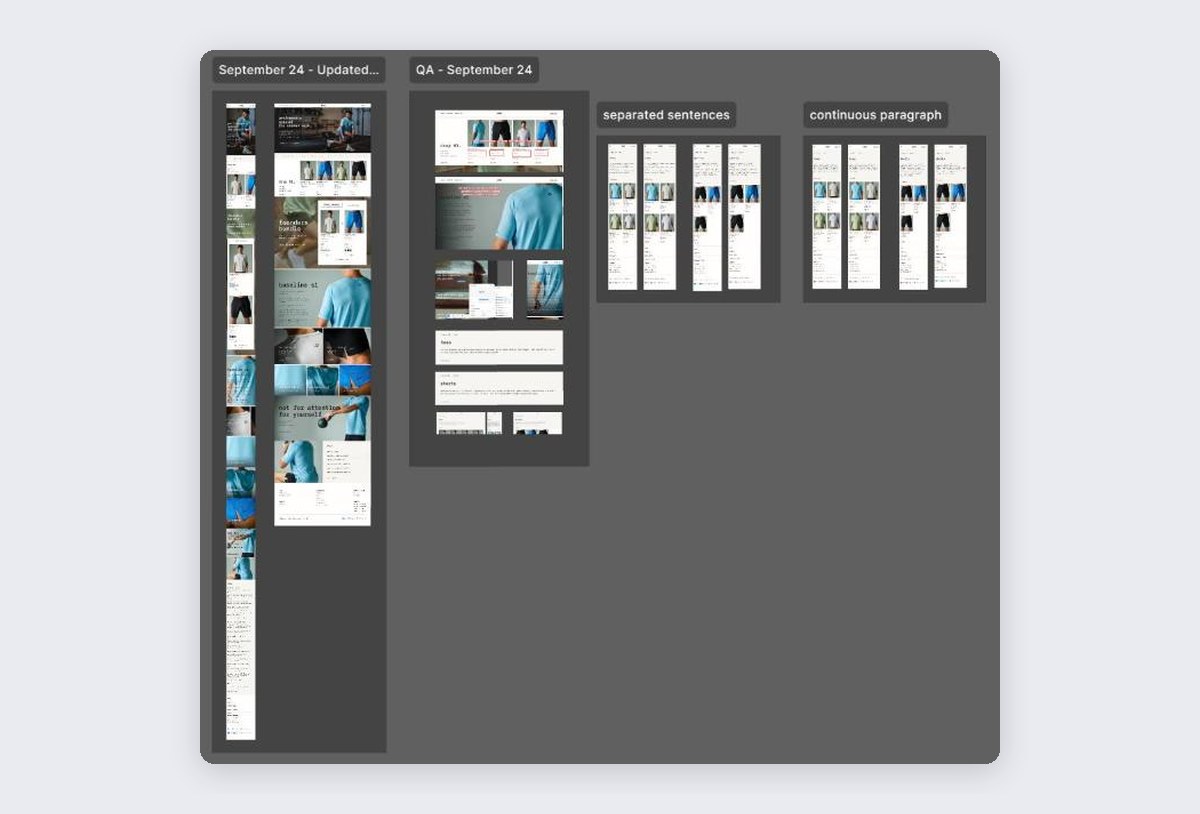
For a brand like this every detail counts, so we didn't start with pages. We started with a design system in Figma: fonts, colours, spacing, buttons, header, footer and product cards, all set up as reusable parts and matched to their brand guidelines.
Then we designed every page for desktop and mobile:
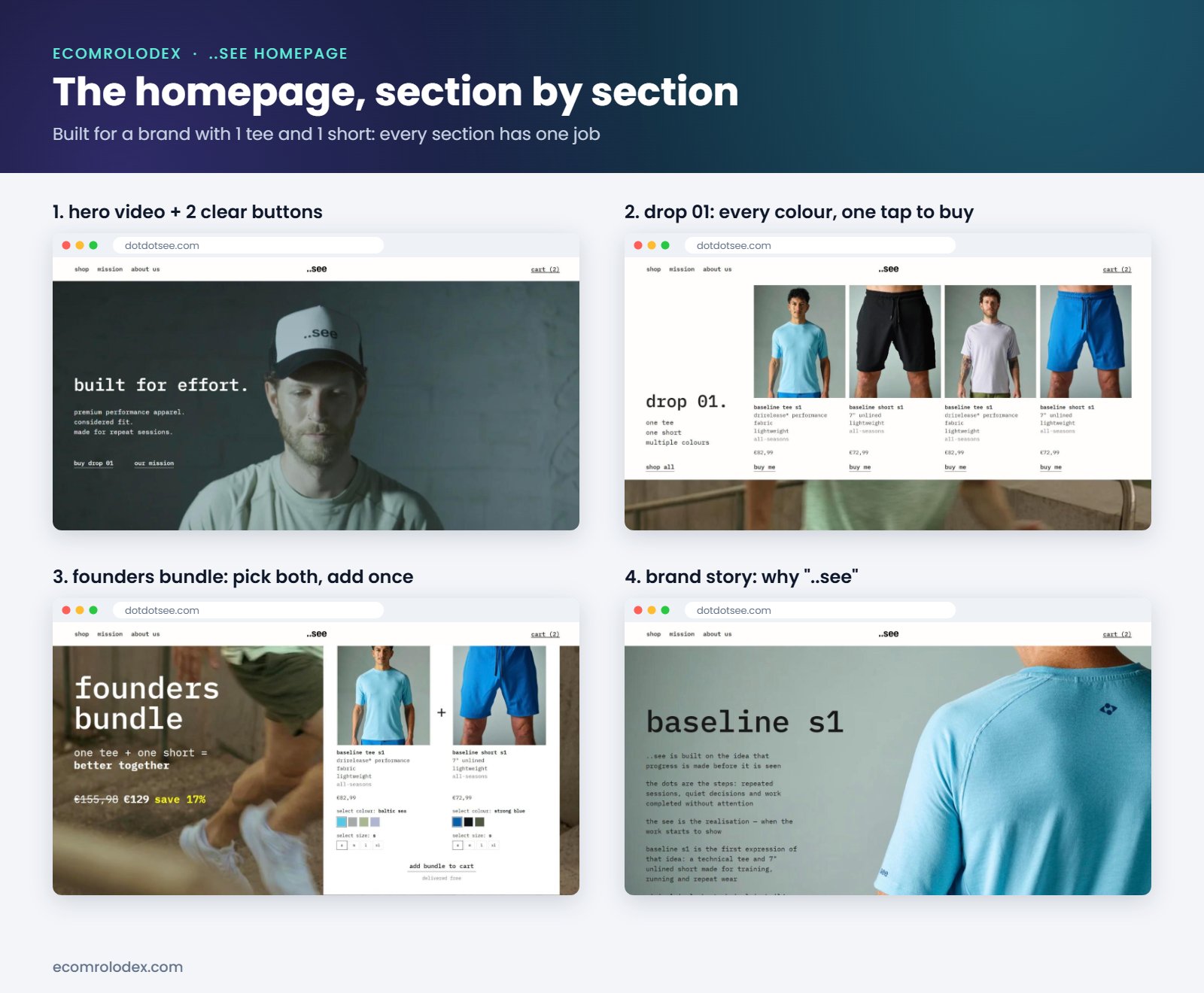
- Homepage with a hero video, drop 01, the founders bundle, the brand story and FAQs
- Product pages for the tee and the short, plus a size guide
- Collection pages for shop all, tees and shorts
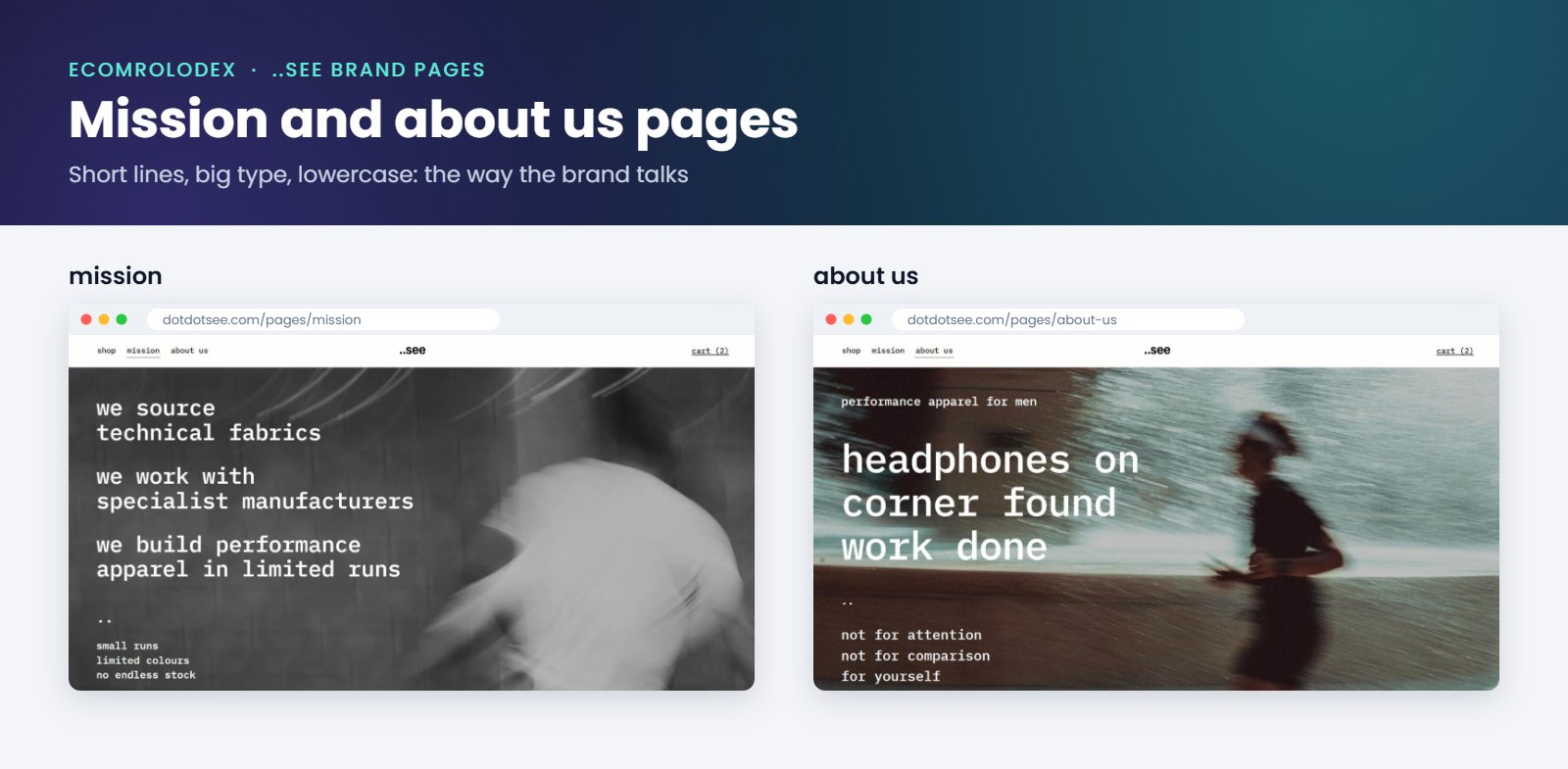
- Mission and about us pages
- FAQ page, menu, cart drawer and footer
- Welcome, abandoned cart and abandoned checkout emails
Michael was very clear about the style. On the site the brand is always "..see", never the full name. The copy stays short and lowercase, and every line that isn't needed comes out. He left his comments right on the designs in Figma, and we went through QA rounds there before anything was coded. It's much cheaper to change a design than to change code.
Step 3: The founders bundle
With only 2 products, the easiest way to get a bigger order is to sell them together. So we built a founders bundle: one tee and one short for €129 instead of €155,98, with free delivery, limited to 200 bundles.
The customer picks the colour and size for both products in one place and adds the whole bundle to cart with one click. The bundle is on the homepage and inside the product pages, so someone looking at the tee always sees the short.
The limit of 200 matters too. It's real, and it gives people a reason to buy now instead of later.
Step 4: Product pages made for 2 products
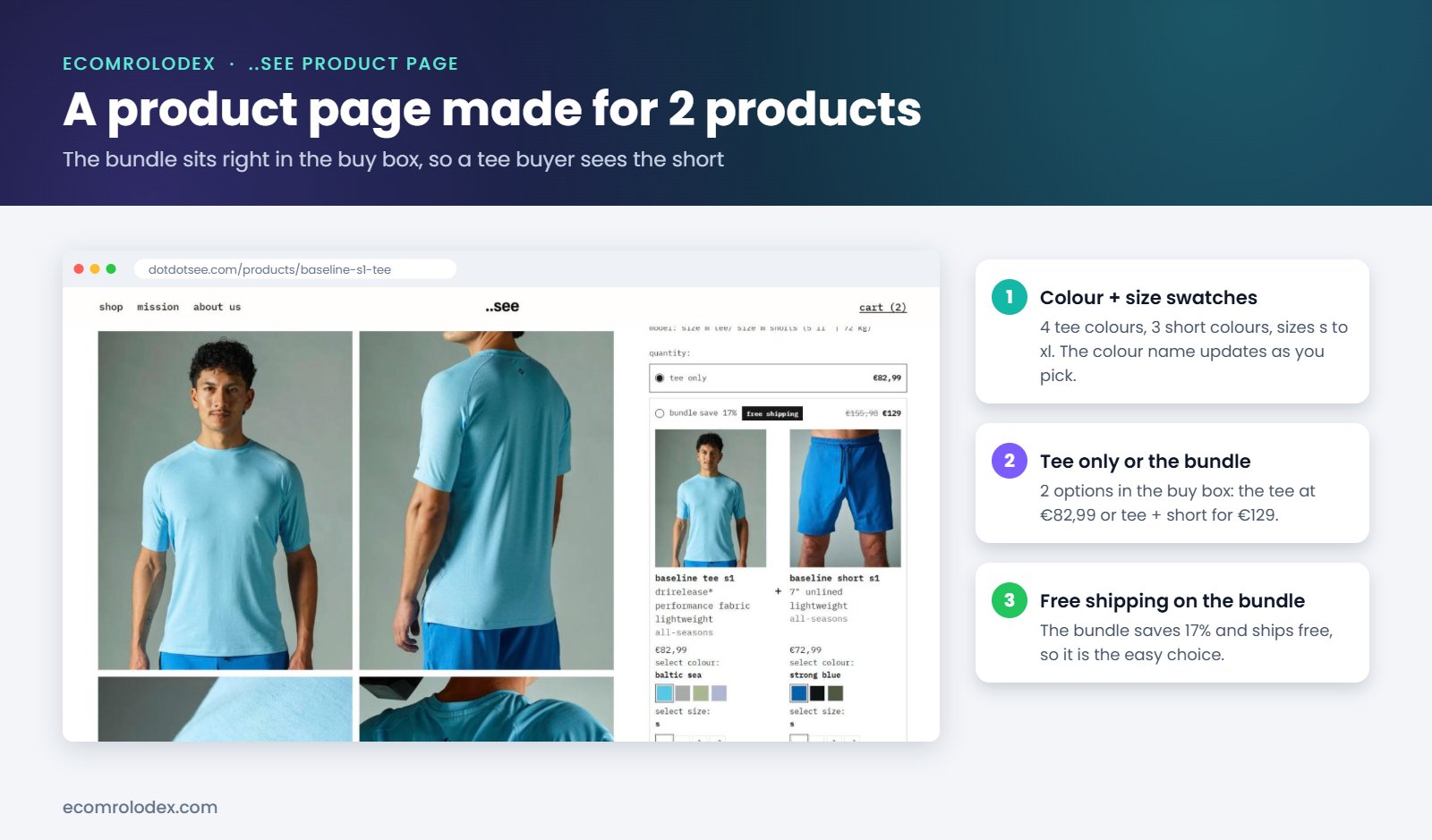
On a store with hundreds of products, the product page is one of many. Here it's the whole store. So this is where we put the most work: big photos, colour and size swatches, the model's size so people pick the right fit, a choice between the tee only or the bundle right in the buy box, and short answers to the questions people ask before they buy.
Step 5: Full native code the owner can edit himself
This is the part most agencies skip. A lot of stores get built with a page builder app. It's fast for the agency, but the store owner pays for it later: a monthly bill that never stops, extra scripts on every page and a store that's hard to change without the app.
We coded every section of ..see natively in the Shopify theme. No page builder. And every section has its own settings in the theme editor, so Michael changes things himself:
- Texts and images. Headings, buttons, photos and videos on every page.
- The bundle. Which tee and which short are in it, the compare at price, the bundle price and the "limited to 200 bundles" badge.
- Sections. Show, hide or move any section on the homepage, without touching code.
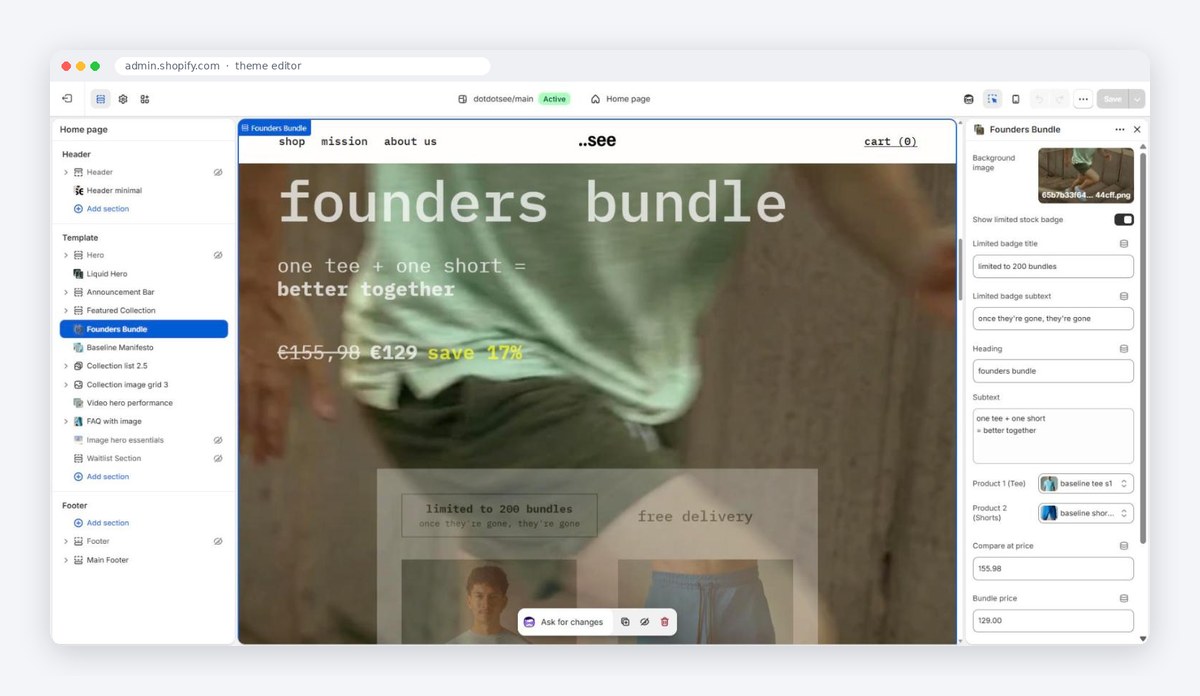
That gives the brand a store that loads fast, has no extra monthly fees for a builder and can be changed in minutes. Any developer can pick up the code later too.
Step 6: The cart, set up with Flex Upsell
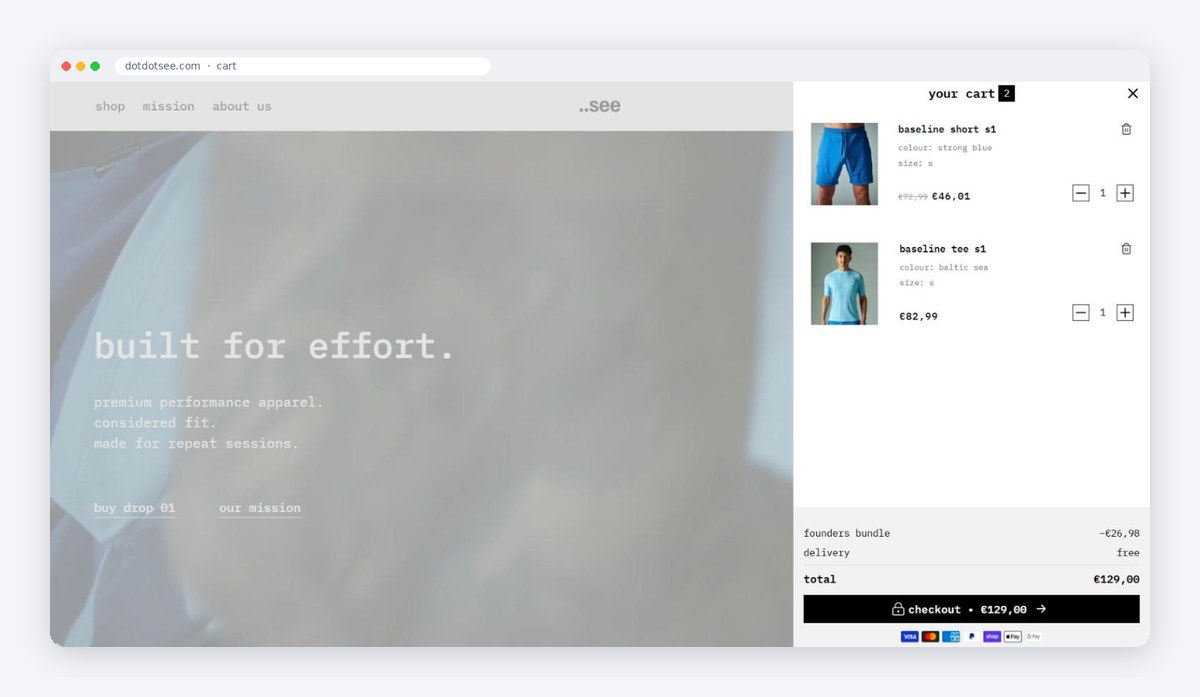
The cart drawer is where a lot of stores lose the sale, so we didn't leave it as the default. We set it up with Flex Upsell Cart, the cart app we created, and styled it to match the brand.
- Free delivery. Delivery is €5 in Ireland and free over €100, and the cart shows it, so people know what they pay before checkout.
- The bundle shows in the cart. When the tee and the short are both in the cart, the founders bundle price and free delivery show right above the checkout button.
- One clear button. Checkout with the total on it, and the payment icons under it.
Step 7: Email automations in Omnisend
A new brand gets most of its first sales from people who almost bought. So the emails went live before launch, not after.
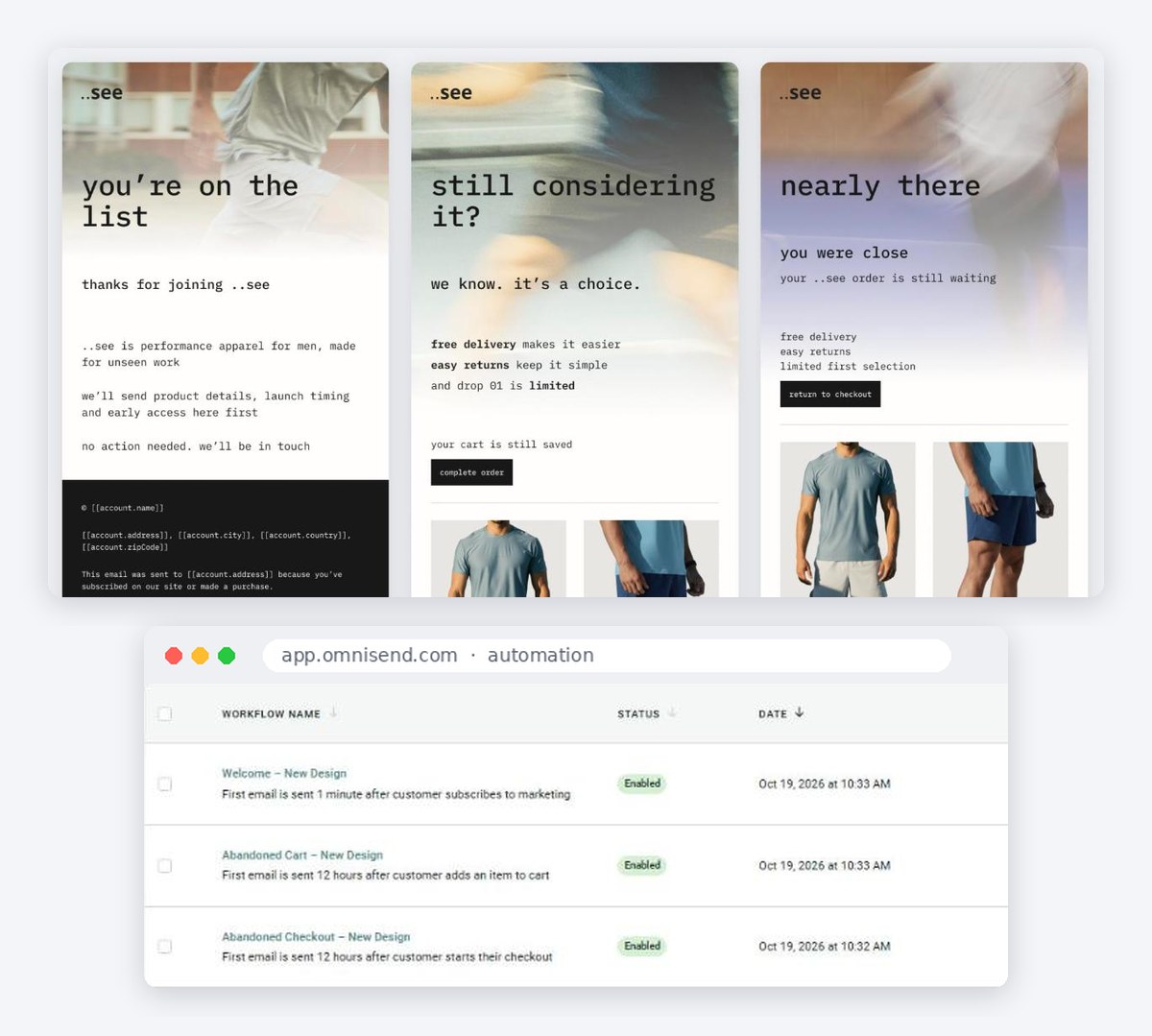
We designed 3 emails in Figma in the same style as the store, then built them as automations in Omnisend:
- Welcome: "you're on the list", sent 1 minute after someone signs up
- Abandoned cart: "still considering it?", with free delivery, easy returns and the drop 01 limit
- Abandoned checkout: "nearly there", with the products they left and a button back to checkout
Why Omnisend and not Klaviyo? For most growing stores it costs less for the same features. I explain it in our Klaviyo to Omnisend article.
How we worked together: one dev sheet, WhatsApp and Google Meet
One dev sheet for every task
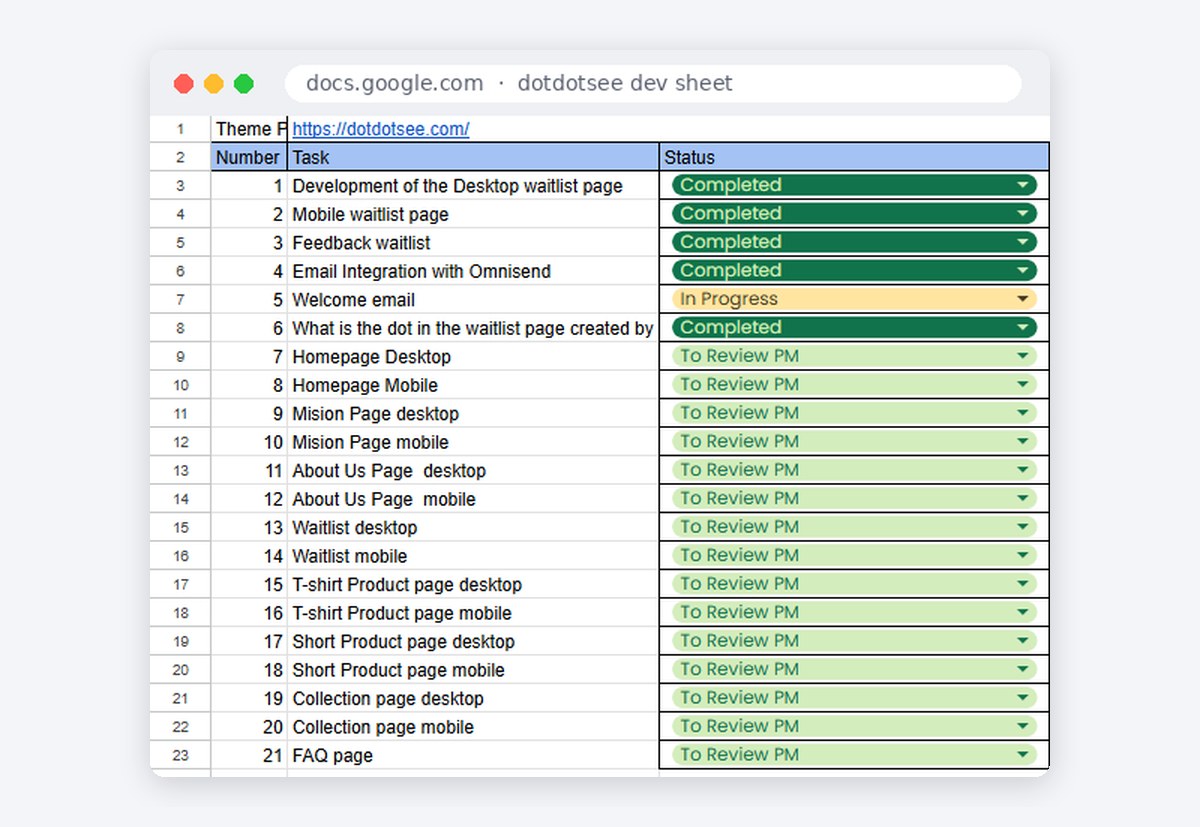
Like every project, ..see has its own dev sheet in Google Sheets. Every page and every task has a number and a status, so Michael could see what's done, what's waiting for his review and what's next, without having to ask.
Google Meet calls
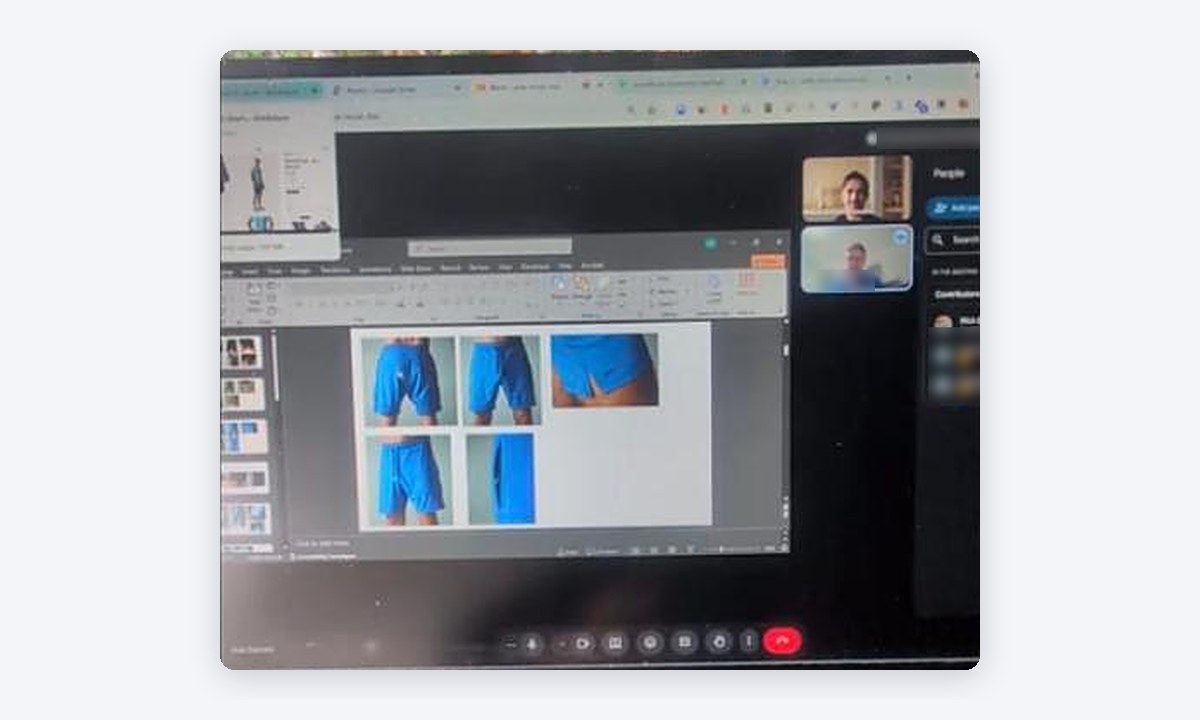
We had regular calls on Google Meet. Michael showed us the samples, the photos and the fabric details, and we went through the designs together. A 30 minute call saves a week of messages.
WhatsApp for quick questions
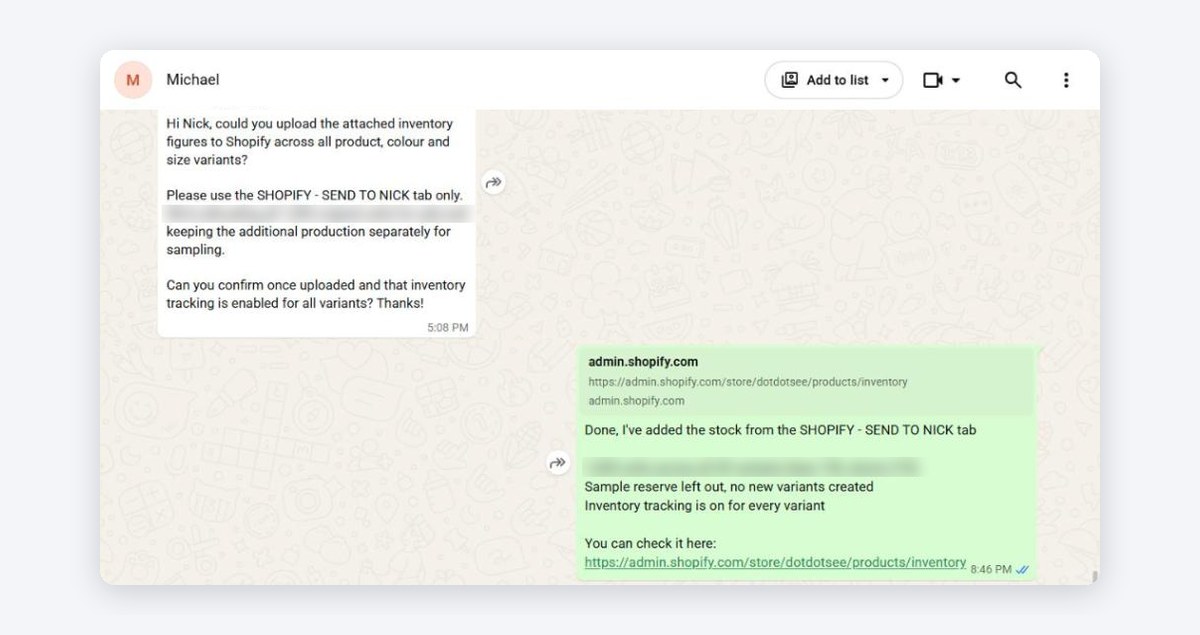
For quick things we use WhatsApp: screenshots, approvals and small changes. Before launch Michael sent us his stock file and asked us to upload it to every product, colour and size. It was done the same evening, with inventory tracking turned on for every variant.
What Michael said
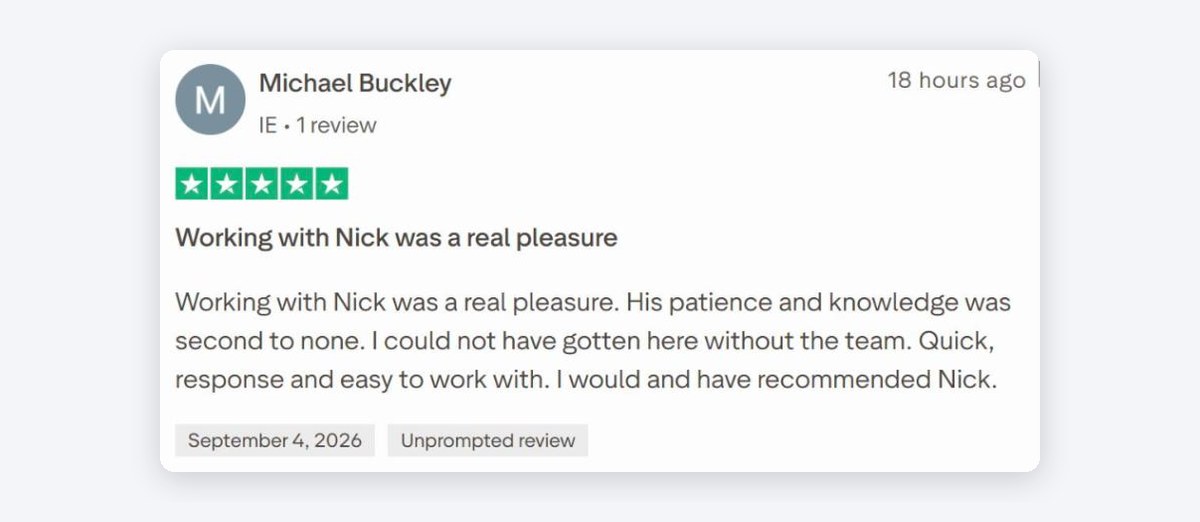
★★★★★
"Working with Nick was a real pleasure. His patience and knowledge was second to none. I could not have gotten here without the team. Quick, response and easy to work with. I would and have recommended Nick."
Michael Buckley, founder of ..see, Dublin, Ireland · Trustpilot review
The project, step by step
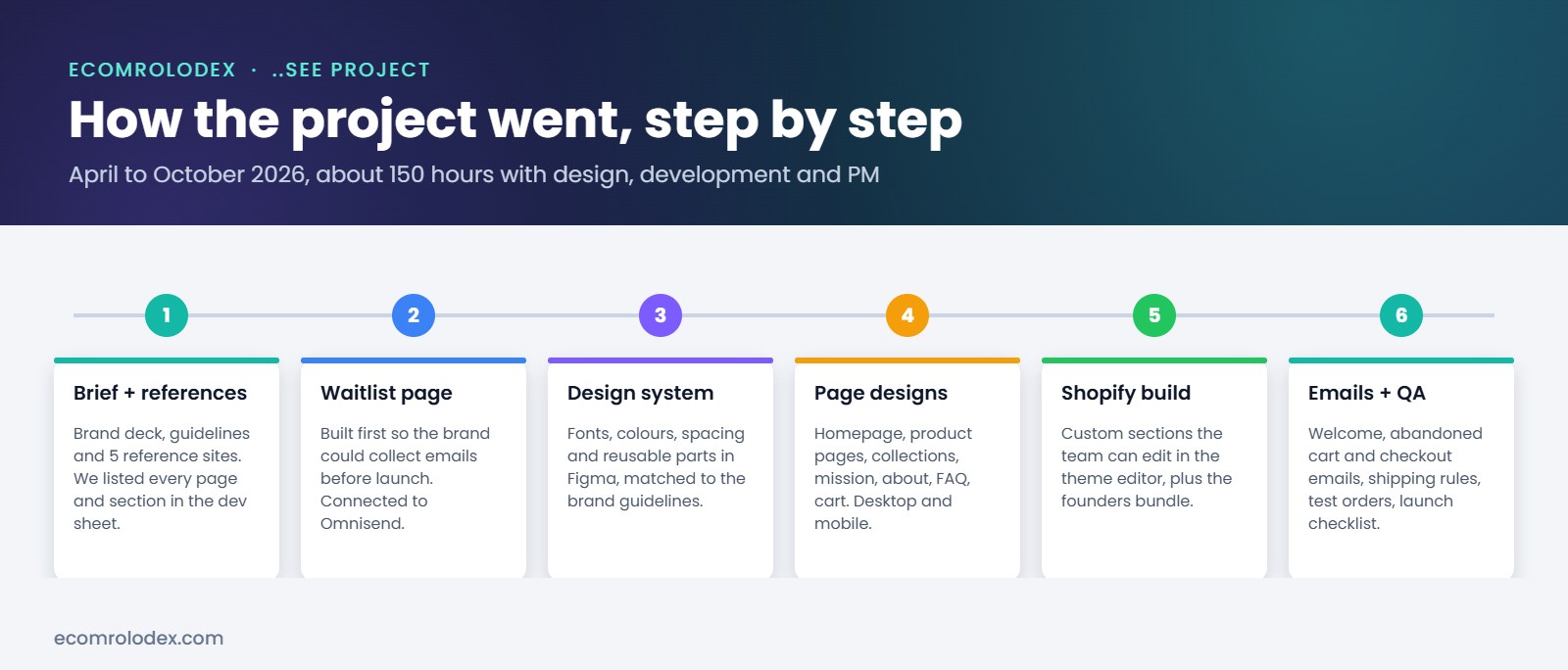
From the first brief to a live store took about 150 hours, from April to October 2026. We worked in rounds: design, feedback, build, feedback, until every page was approved. Then QA on desktop and mobile, stock and shipping before going live.
What I'd tell any brand launching on Shopify
- Start the list before the store. A waitlist page means you launch to people who already want the product.
- Design first, code second. Every change in Figma is minutes. In code it's hours.
- Skip the page builder. Native sections load faster and you don't pay for them every month.
- Sell the bundle. With 2 products, the bundle is your best way to a bigger order.
- Turn on the emails before launch. Welcome, abandoned cart and abandoned checkout catch the people who almost bought.
Questions brands ask before building a store
How long does it take to build a custom Shopify store?
For a brand like ..see, with a design system, custom pages, a bundle and emails, it was about 150 hours. A simpler store can take 30 to 60 hours. It depends on how many pages and custom features you need.
Can a store with only 1 or 2 products sell well?
Yes, if the store is built for it. Put the products front and center, make the bundle easy and use the product page to answer every question. You don't need a big catalog, you need a clear one.
Will I be able to edit the store myself?
Yes. We code every section natively, so you change texts, images, products and prices in the Shopify theme editor. We also send video instructions on how to manage it.
Do you also set up the emails and the cart?
Yes. For ..see we designed the welcome, abandoned cart and abandoned checkout emails and set them up in Omnisend, and we set up the cart with Flex Upsell.
How do we stay in touch during the project?
A dev sheet with every task, WhatsApp for quick questions, Figma comments on the designs and calls on Google Meet. You always know what's done and what's next.
Launching a new brand on Shopify?
Tell me about your product. We'll design and build a store that looks premium and sells from day one.
Screenshots from dotdotsee.com, the Shopify theme editor, Omnisend, the Figma file and the project dev sheet, October 2026. Hours from our project tracking. Review from Trustpilot.