


Most store owners put their time and money into getting more traffic. But some of the easiest money in a Shopify store is already sitting in the cart.
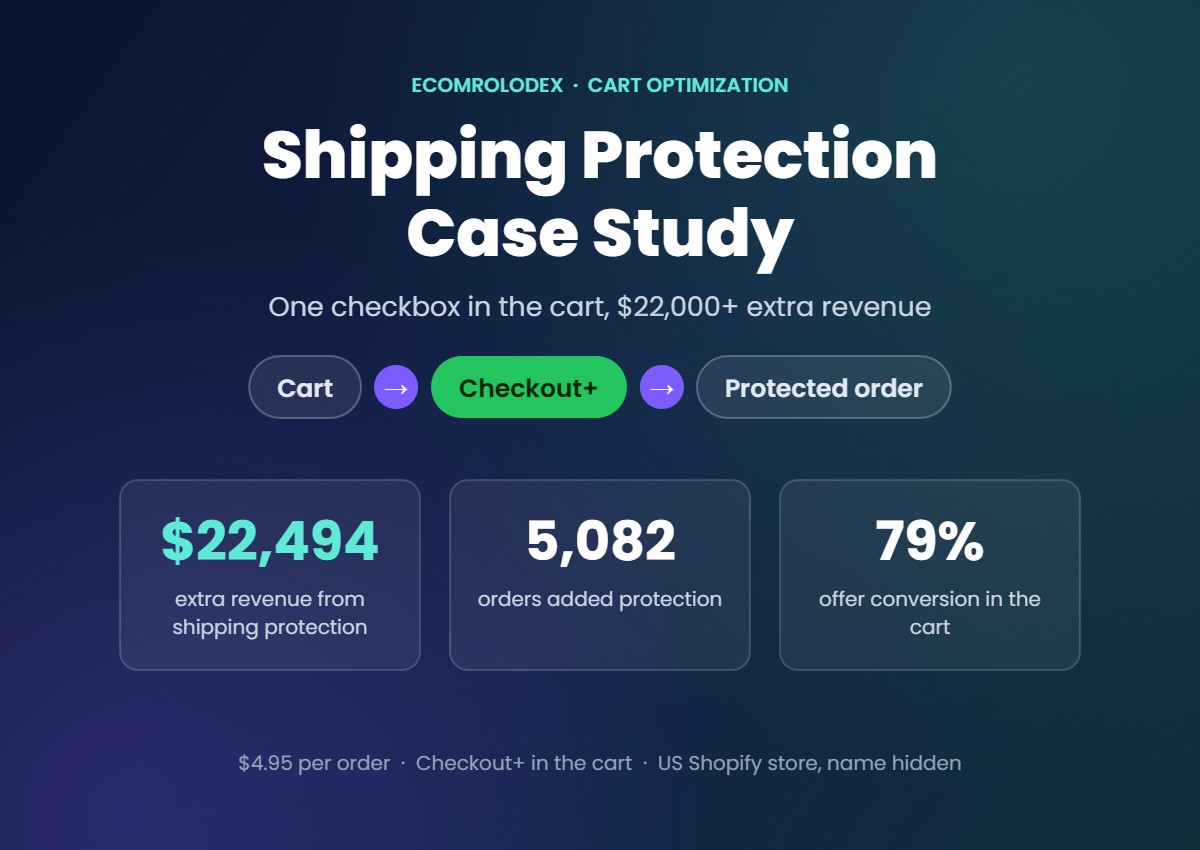
For one of our clients, a US Shopify store with a lot of small orders, we added shipping protection to the cart as a simple $4.95 option. Since April 5, 2026 it brought $22,494 in extra revenue from 5,082 orders, and $12,378 of that came in the last 90 days alone.
In this case study I'll show you how we set it up, the numbers, why it works and the mistakes I'd avoid. The store name stays private, but every number comes straight from their Shopify and cart app reports.
Quick overview
- What: shipping protection for $4.95, offered right on the checkout button in the cart
- The store: a US Shopify store with a lot of small orders
- Live since: April 5, 2026 (202 days)
- Result: $22,494 extra revenue from 5,082 orders, with a 79% offer conversion
- Last 90 days: $12,378 from 2,209 customers
- Built with: the Checkbox upsell in Flex Upsell Cart, with Checkout+ mode on
What shipping protection is
Shipping protection is a small fee the customer pays to cover their package if it gets lost, stolen or damaged on the way. If something goes wrong, the store reships the order or refunds it.
Customers like it because they get peace of mind for a few dollars. The store likes it because most packages arrive fine, so most of that money stays as extra revenue.
You can use an insurance app for it, or handle the claims yourself. This store keeps it simple with a $4.95 product in Shopify.
Where the store was before
The cart was already doing a good job: free shipping over a set amount, recently viewed products and 1-click upsells. What was missing was something almost every customer would add without thinking twice, at the exact moment they pay.
That's what shipping protection is. It doesn't need a discount, a popup or a better product photo. It needs to be in the right place.
How we set it up
Step 1: Create the protection product in Shopify
We created a product called Shipping Protection for $4.95. It's set as not a physical product, inventory isn't tracked, and it's unlisted so it never shows up in the store or in search. We put it in the Shipping Insurance category so taxes and reports come out right.
Step 2: Add it to the cart with Flex Upsell
In Flex Upsell Cart we turned on the Checkbox upsell in the cart footer and picked the Shipping Protection product.
Step 3: Turn on Checkout+ mode
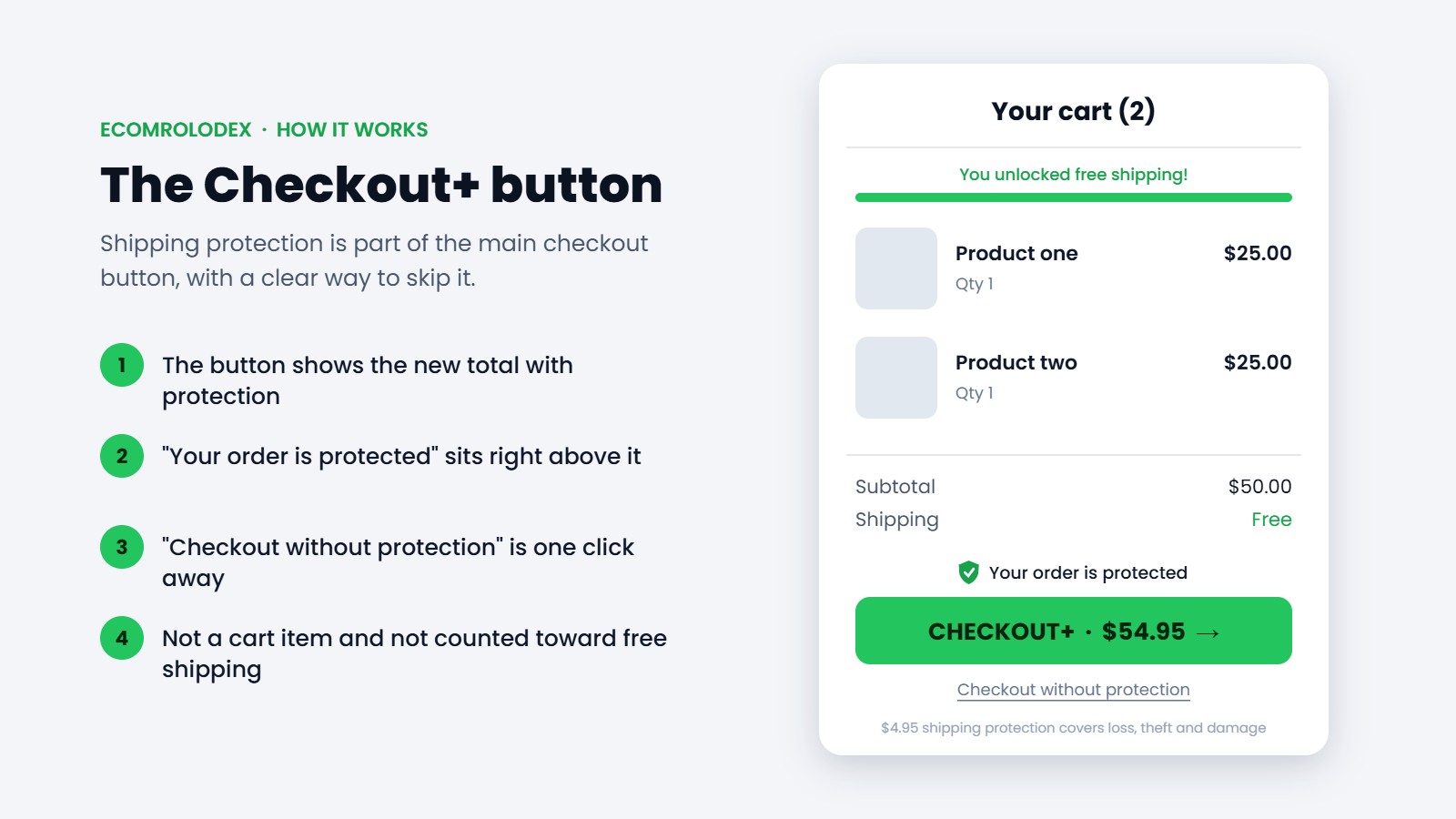
This is the part that makes the difference. Instead of a small checkbox the customer has to notice, the main checkout button becomes Checkout+ and shows the new total with protection. Right under it there's a small Checkout without protection link, so anyone who doesn't want it skips it in one click.
Step 4: One short line of text
Above the button we added "Your order is protected". No popup, no long explanation.
Step 5: Keep it out of the way
- Auto fulfilled: the protection product never shows up as something to pack
- Not a cart item: it doesn't sit between the products in the cart
- Not counted toward free shipping or rewards: $4.95 of protection never unlocks free shipping on its own
The results
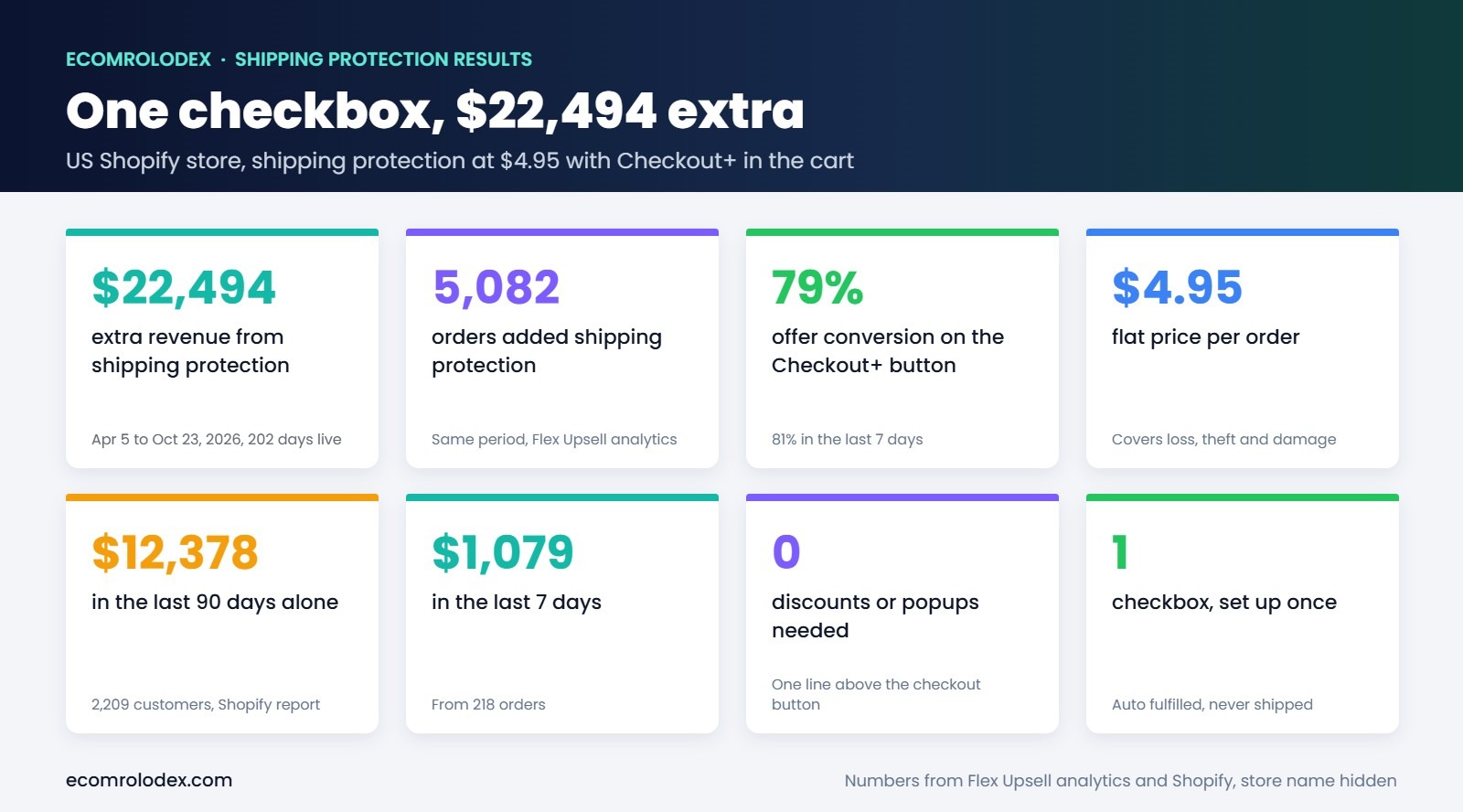
These numbers come from the store's Flex Upsell Cart analytics and Shopify's own reports, from April 5, 2026, the day shipping protection went live, to October 23, 2026. That's 202 days, or about $111 a day.
- $22,494.90 extra revenue from shipping protection
- 5,082 orders added it
- 79% offer conversion on the Checkout+ button, and 81% in the last 7 days
- $12,378 in the last 90 days from 2,209 customers, from Shopify's product report
- $1,079 in the last 7 days from 218 orders
Here's the screenshot straight from the app. The highlighted row is the shipping protection offer.
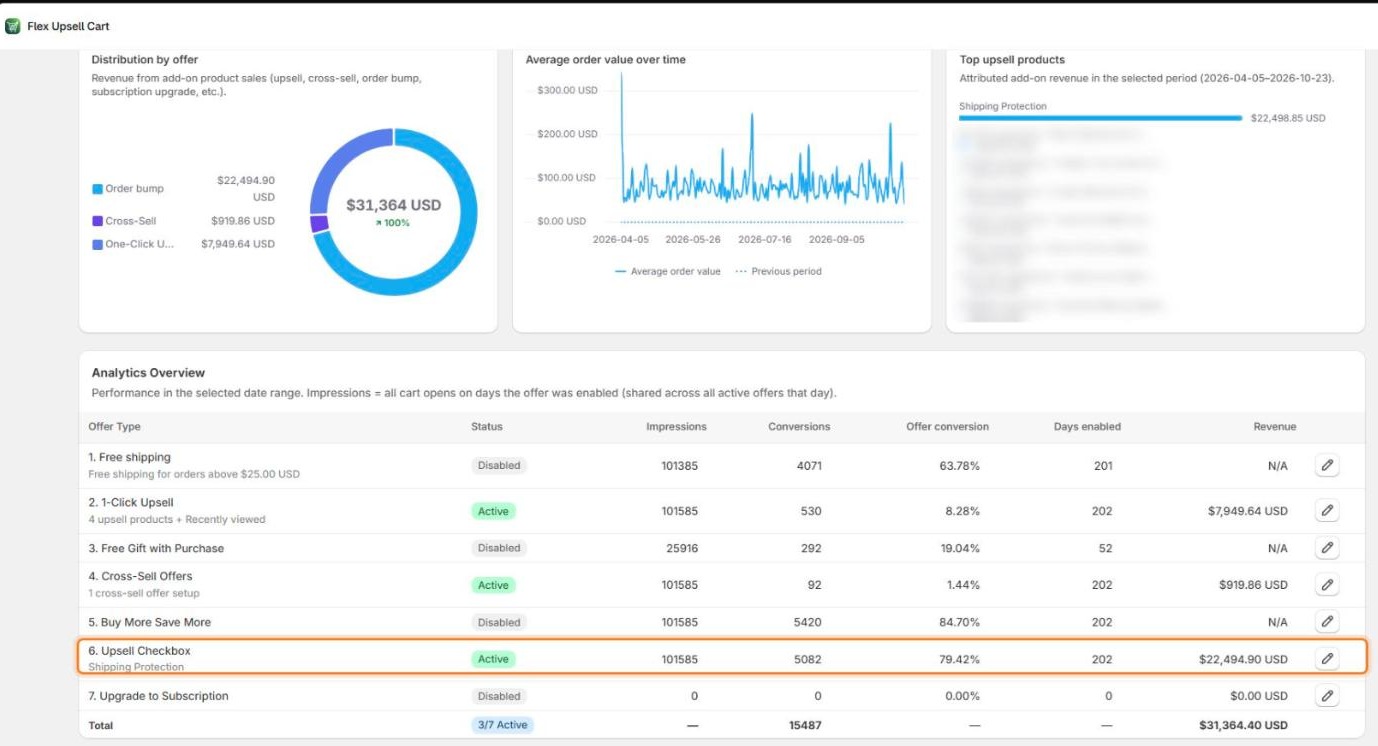
The best part is that it keeps coming in every day without anyone touching it. There's no ad spend behind this number. It's the same customers who were already buying, adding a few dollars of peace of mind to their order.
Why it works
- It's small next to the order. $4.95 on top of an order feels like nothing for peace of mind.
- It shows up at the right moment, on the button the customer is already clicking.
- It's clear. The new total is on the button and skipping it is one click, so nobody feels tricked.
- It doesn't get in the way. One line of text, no popup, no extra step.
- Shoppers already know it. You'll see the same idea on the checkout buttons of big fashion brands.
Mistakes I'd avoid
- Hiding it or making it hard to remove. Always show the price and an easy way to skip it. That's how you keep trust and avoid chargebacks and angry emails.
- Counting it toward free shipping. Then the protection can unlock free shipping and you pay for the shipping.
- Shipping it as a product. Turn on auto fulfil so your team never tries to pack it.
- No plan for claims. Decide before you launch if you reship or refund, and write it in your shipping policy.
- Pricing it too high. Keep it small next to your average order.
Should you add shipping protection to your store?
If you sell physical products and ship them by post, I'd test it. It works best for stores with a lot of orders, because every order is a new chance to add it. For digital products, services or local pickup it doesn't make sense.
Test it for 30 days and compare the extra revenue with your claims. For most stores it's one of the fastest wins in the cart.
Questions store owners ask
How much should I charge?
A flat price that's small next to your average order. This store charges $4.95.
Do I need an insurance company?
No. Many stores handle claims themselves by reshipping lost orders. If you'd rather not, there are apps that insure the package for you.
Can customers remove it?
Yes, and they should be able to. With Checkout+ there's a "Checkout without protection" link right under the button.
Which app did you use?
We used Flex Upsell Cart. The Checkbox upsell with Checkout+ mode does it without code, and it works with any Shopify theme.
Does it work with free shipping?
Yes. Just make sure the protection isn't counted toward the free shipping amount, so it never unlocks free shipping on its own.
Want shipping protection in your cart?
Send me your store link. I'll tell you how I'd set it up on your store and what else I'd fix first in your cart.
Numbers from the store's Flex Upsell Cart analytics (April 5 to October 23, 2026) and Shopify's product report (last 90 days to October 23, 2026). Store name hidden. Example products in the images.