



About 7 in 10 online carts never turn into an order. That's the average of 50 studies collected by Baymard Institute (70.22%). Some of those people were only browsing. But many leave over small things in the cart: a shipping cost they didn't expect, no reason to add one more item, or a checkout button they can't find on their phone.
On Shopify the checkout itself is locked unless you're on Shopify Plus, so most of what you can change happens in the cart, one step before checkout. That's where I start on almost every store we work on.
Here are the 8 cart and checkout changes I make, with real numbers from stores we work on.
Quick overview
- Biggest single win: a $4.95 shipping protection checkbox brought one store $22,494 from 5,082 orders
- Cart upsells: stores using Flex Upsell Cart shared +10% to 30%+ average order value
- Checkout: without Shopify Plus you can still change the look, the form fields and the payment buttons
- Tools: a cart app for the cart drawer (we use our own, Flex Upsell Cart) plus Shopify's checkout settings
Show how close they are to free shipping
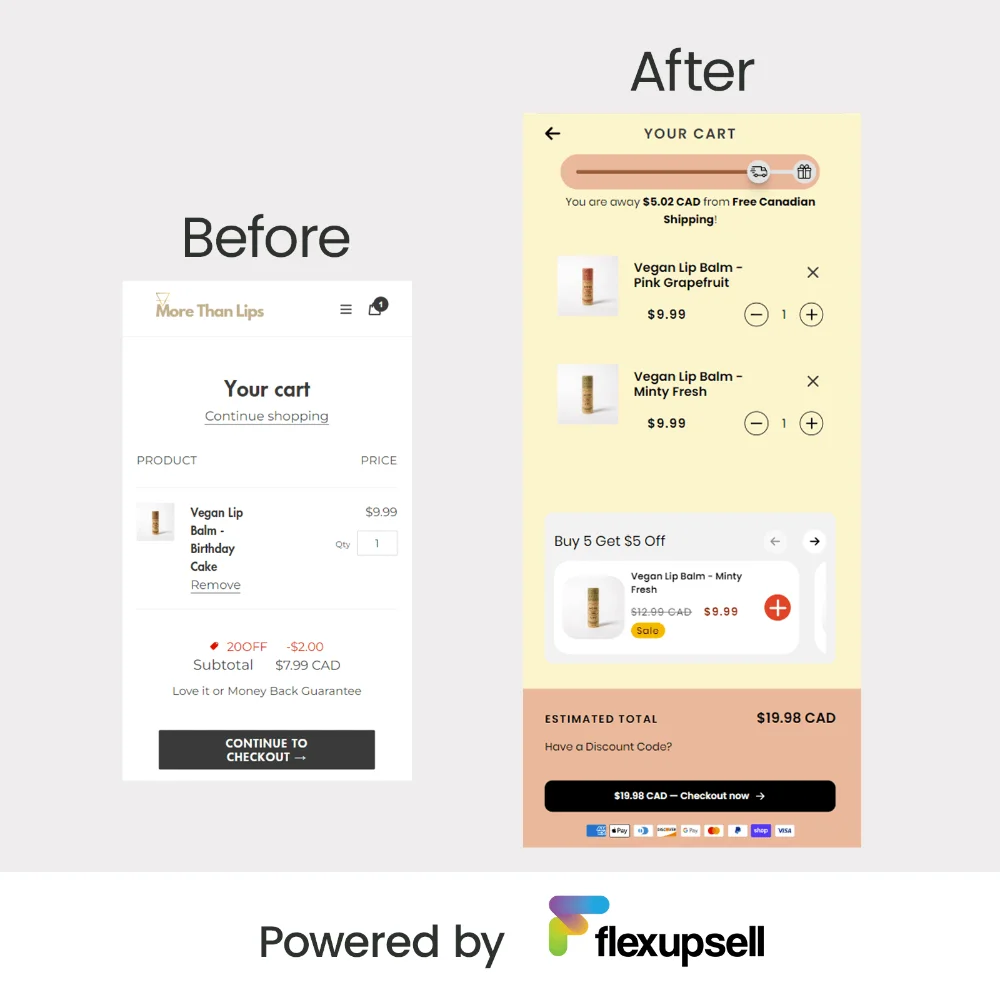
A free shipping bar tells people exactly how much more they need to spend, and it updates as they add items. On More Than Lips, a Canadian store selling vegan lip balms, the cart says "You are $5.02 CAD away from Free Canadian Shipping!" One more lip balm and they're there.
Set the threshold a little above your current average order, so most people need one more item, not three. If free shipping starts at $50 and your average order is $28, the bar feels too far and people ignore it. Here is how to set up a Shopify free shipping bar and pick the right amount.
Add 1-click upsells that fit what's in the cart
The best cart upsells are small, cheaper than the main product and clearly go with it: a second scent, a refill, a case for the phone they just added. One tap adds it, with no popup and no new page. The free shipping bar and the total update right away, so the upsell also helps them reach free shipping.
Keep it to 1 to 3 products. On a phone, every extra product pushes the checkout button further down.
Here are results that stores using Flex Upsell Cart shared:


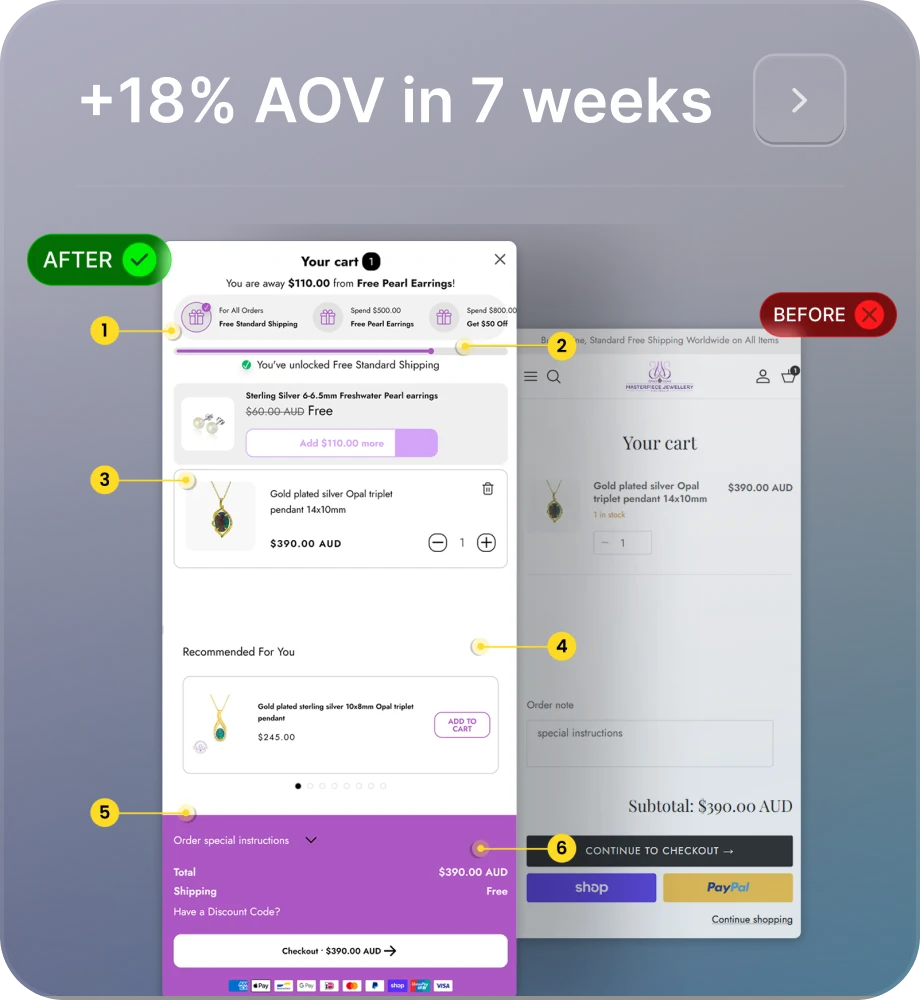

Results shared by stores using Flex Upsell Cart.
Offer shipping protection in the cart
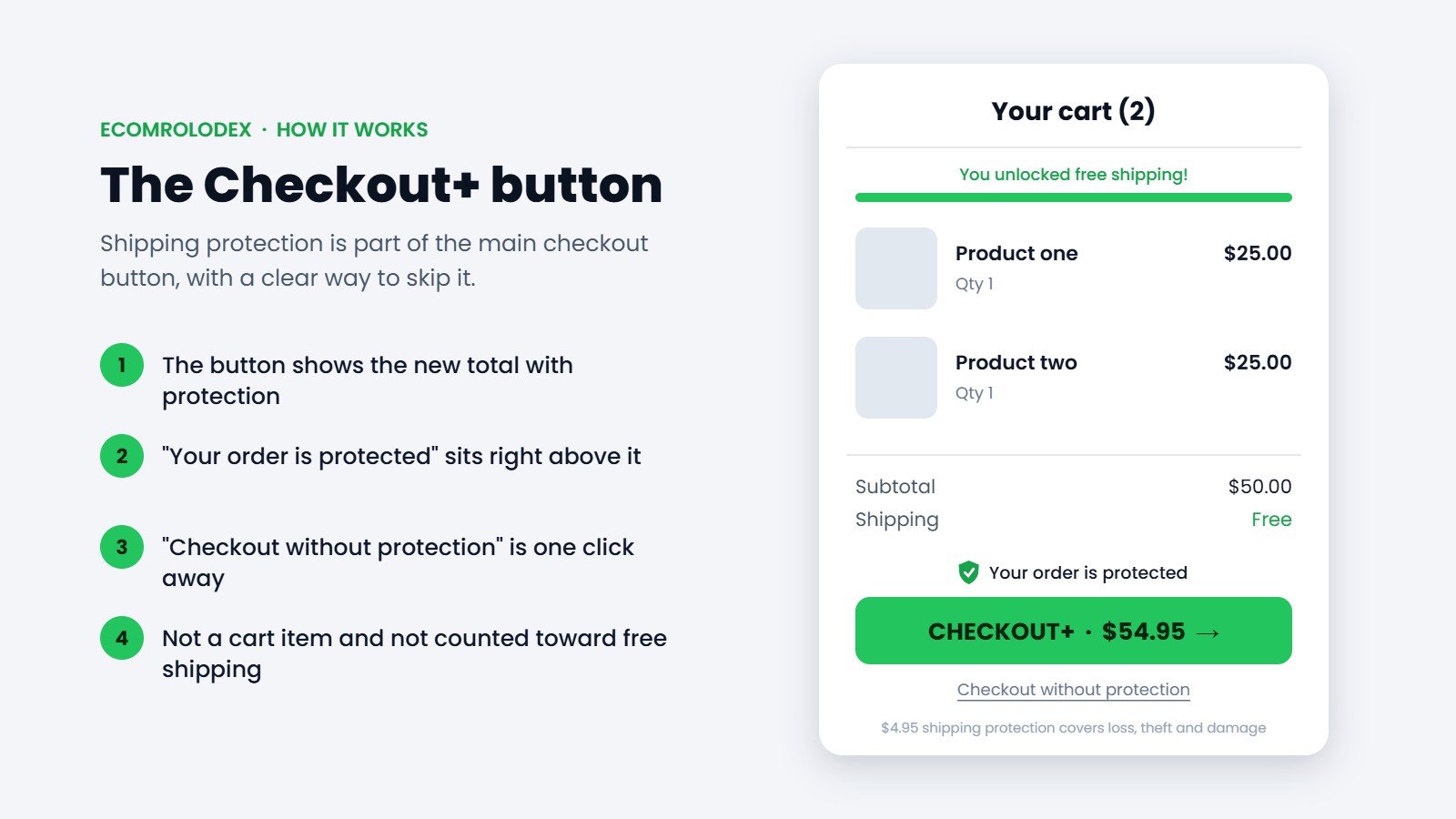
This one surprised me the most. For a US client store with a lot of small orders, we added shipping protection as a $4.95 checkbox in the cart. Since April 5, 2026 it brought $22,494 in extra revenue from 5,082 orders, and 79% of shoppers kept the protection on.
The setup that worked: the checkout button shows the new total with protection, and a small "Checkout without protection" link sits right under it, so nobody feels tricked. In Flex Upsell Cart this is the Checkbox upsell with Checkout+ mode on.
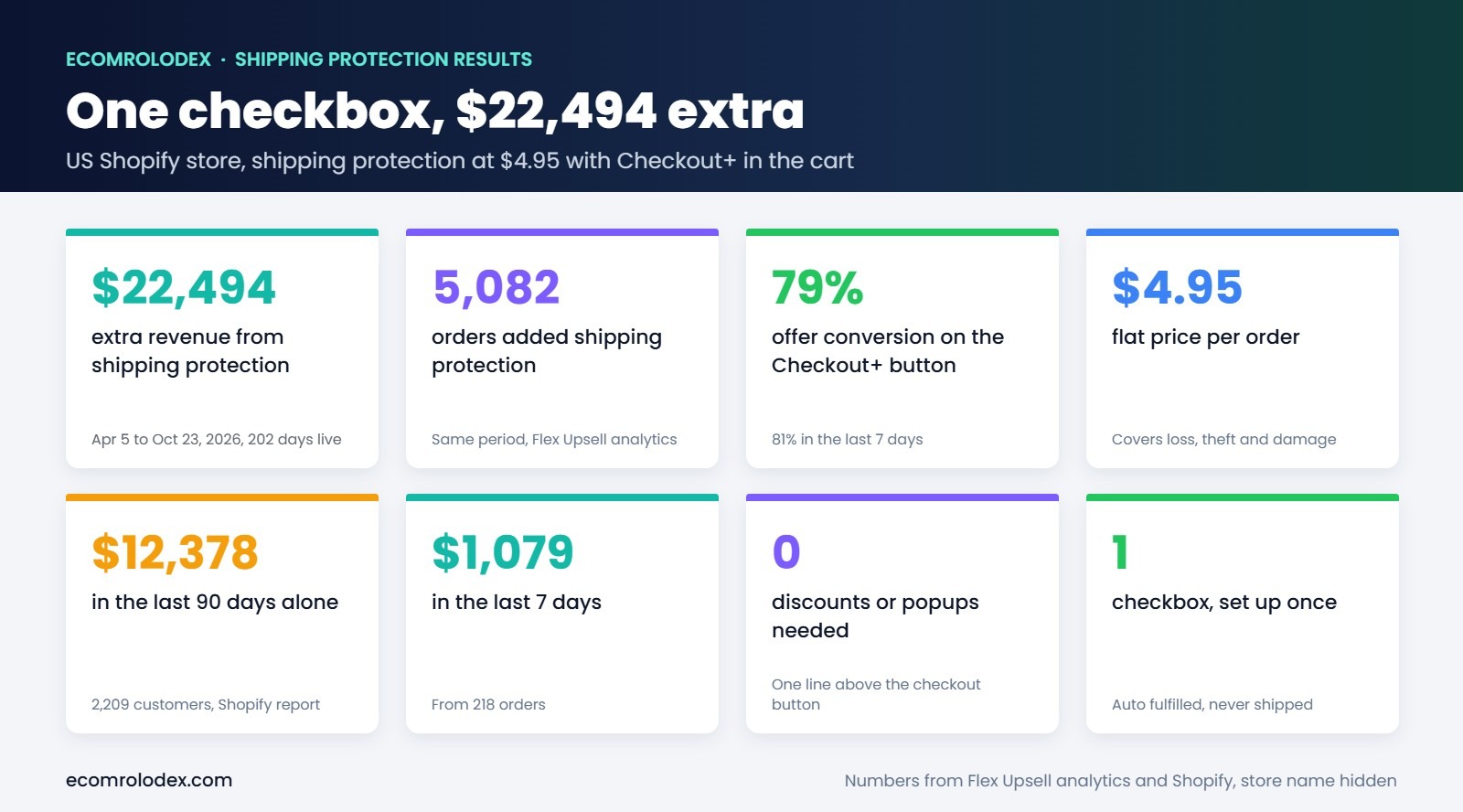
The full numbers and setup steps are in the shipping protection case study.
Show your offers inside the cart, not in popups
If you have a deal, show it where people decide: in the cart. On More Than Lips we put two offers right in the cart: a subscription with 15% off every month, and an automatic "Buy 5 Get $5 Off" discount. Nobody has to find a code, close a popup or remember a banner from the home page.
"Checkout · $42.90" works better than a plain "Checkout". People see the final amount before they tap, and if free shipping is already unlocked, say it on the button or right above it. Extra costs are the reason shoppers give most often for leaving a cart in Baymard's surveys, so the fewer surprises, the better.
Returning shoppers already have Shop Pay, Apple Pay, Google Pay or PayPal saved. Showing those buttons in the cart lets them skip the whole checkout form. Most Shopify themes can show them on the cart page, so after you install a cart app, check they still show, because some cart drawers hide them.
Right before they pay, people want to know three things: when it arrives, what happens if it doesn't fit or work, and whether the store is safe. A delivery estimate, one line about returns and the payment icons near the checkout button answer all three. I see EU stores lose sales on small things like no delivery time near the button.
Build the cart for phones first
Most Shopify visits come from phones, so test your cart on one. Use a cart drawer that opens when someone adds to cart, keep the checkout button visible without scrolling (sticky at the bottom works well) and make buttons big enough for a thumb. If the upsells, the bar and the notes push the checkout button off the screen, cut something.
What you can change in the Shopify checkout
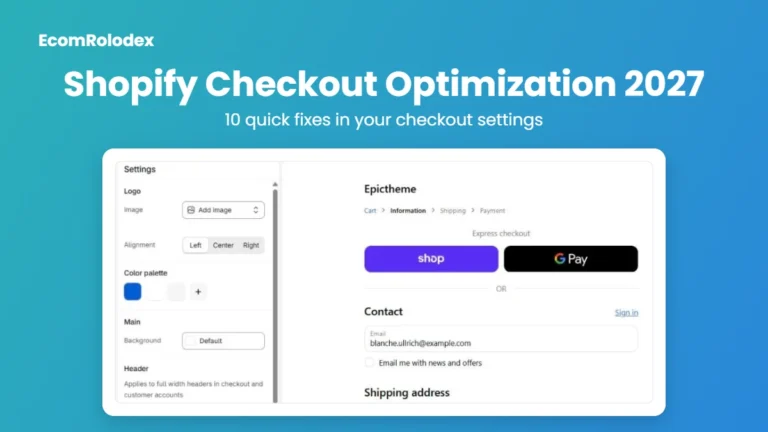
Unless you're on Shopify Plus, you can't add your own sections inside the checkout steps. But there is still a lot you can do in Settings, Checkout:
- Brand it: your logo, colors and fonts, so it looks like the same store
- Ask for less: make company name, address line 2 and phone optional or hidden if you don't need them
- Payments: turn on Shop Pay and the express wallets your customers use
- Policies: add your shipping, returns and privacy policies so they show in the checkout
- Abandoned checkouts: turn on the reminder email for people who leave at checkout
On Shopify Plus you can also add upsells, trust blocks and custom fields inside the checkout itself.
How we set this up on client stores
- Open the store on a phone and add the best seller to the cart, like a customer would
- Look at the average order value and the free shipping threshold
- Pick 1 to 3 offers that fit the products: free shipping bar, upsells, shipping protection
- Install Flex Upsell Cart and match it to the store's design
- Check the numbers after the first week and change what isn't working
FAQ
What is a normal cart abandonment rate?
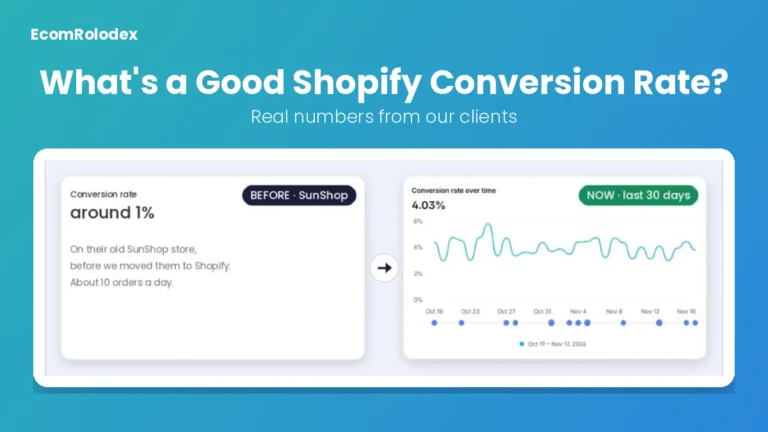
The average across 50 studies is 70.22% (Baymard Institute). Instead of chasing that number, compare your own store month to month in Shopify Analytics: sessions that added to cart, sessions that reached checkout and sessions that converted.
Can I change the Shopify checkout page without Plus?
Yes, the look and the form fields, in Settings, Checkout. Adding upsells, banners or custom blocks inside the checkout steps needs Shopify Plus. That's why most of the work happens in the cart.
Should I use a cart drawer or a cart page?
For most stores, a cart drawer. It opens on add to cart, keeps people on the product page and shows upsells at the moment they're most likely to add one more item. Keep the cart page too, for people who go straight to it.
How many upsells should I show in the cart?
1 to 3. More than that and the checkout button gets pushed down on phones.
Does shipping protection annoy customers?
Not when it's clear. In our case study 79% of shoppers kept it on. Show the price, make it easy to remove and show the total on the button.
Do I need a paid app for this?
Flex Upsell Cart has a free plan with 1 offer on live stores. The paid plan is $19/month for up to 7 offers.
Want me to look at your cart?
Send me your store and I'll tell you the first 2 or 3 things I'd change in your cart and checkout.