



Before every move, store owners ask me the same question: how much is this going to cost? The answer comes down to hours, so in this guide I show you the hours. Real ones, from three stores we moved to Shopify: a WordPress store that took about 35 hours, a WooCommerce store that took 80 hours in 3 weeks, and a SunShop store with a full redesign that took about 200 hours in 6 weeks.
I'm Nick Ursu, a Shopify conversion expert for 9+ years. My team and I have done 1,300+ Shopify projects since 2017. Below you'll see what each of those moves included, what pushes the hours up or down, what doing it yourself costs with today's app prices, and the 3 packages we charge.
Bonus: get our free migration plan. It's the checklist we use on our own moves: what to export, where every product, customer and order goes, the redirect sheet and the launch day checklist.
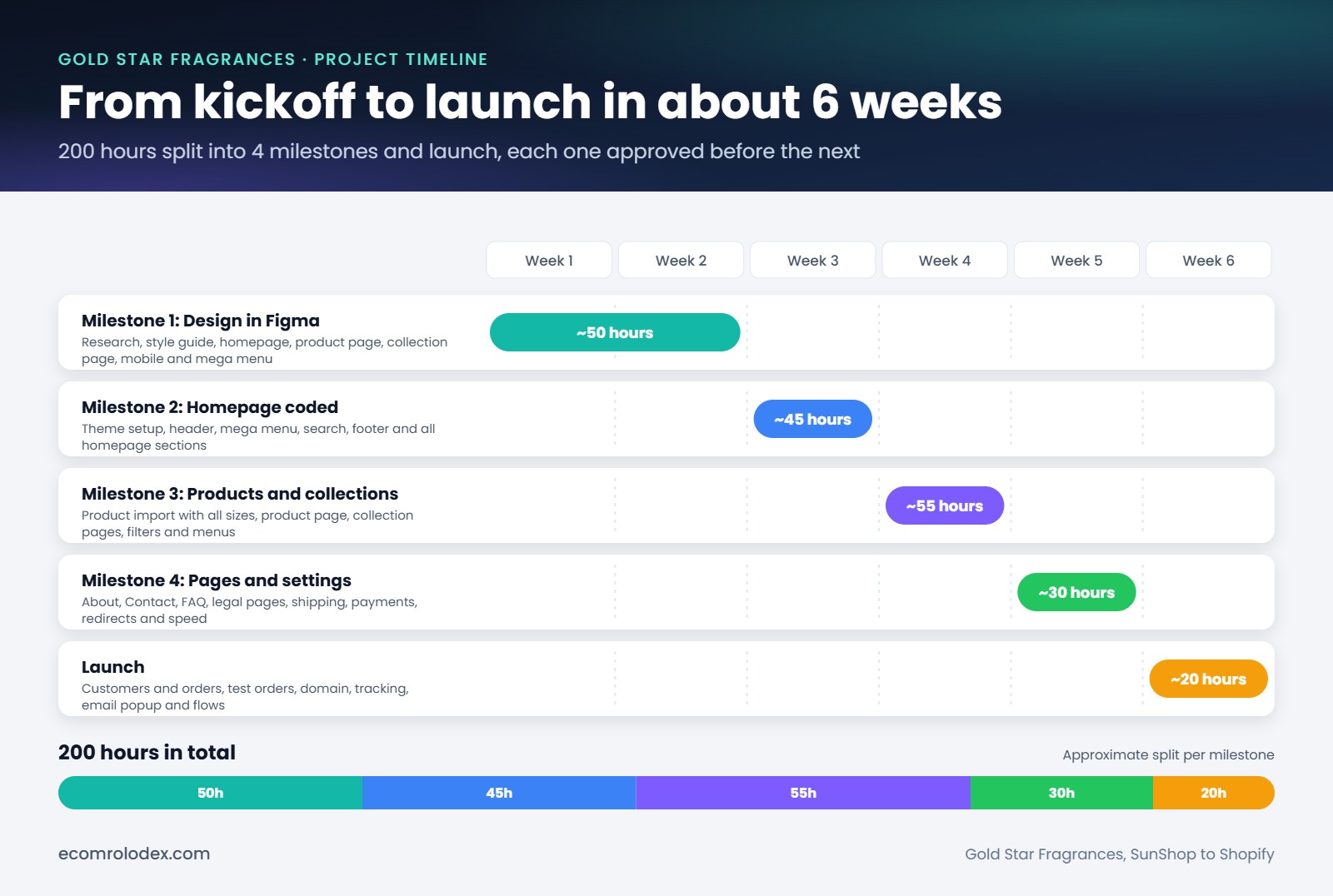
Our biggest recent move: Gold Star Fragrances, SunShop to Shopify, about 200 hours over 6 weeks
Quick overview
- With us: $1,350 (30 hours), $2,800 (80 hours) or $4,500 (150 hours). Bigger moves get quoted task by task
- Our last 3 moves: about 35 hours, 80 hours and about 200 hours
- Doing it yourself: Shopify's own Store Migration app is free and Matrixify costs $20 to $200 a month. The real cost is your time
- What moves the price most: a new design, the number of products and variants, messy old data, custom features
- After the move: your Shopify plan ($29 to $399 a month on the main plans) plus the apps you add
How much does a Shopify migration cost?
For most stores we move, the price lands between $1,350 and $4,500. That's 30 to 150 hours of work. A short product list on a simple design sits at the bottom. Thousands of products, subscriptions or a new design push it to the top, and sometimes past it.
You can also do it yourself. The tools are cheap. Here's how the three options compare:
| Who does the move | What you pay | What's still on you |
|---|---|---|
| You, with Shopify's Store Migration app | $0 for the app | Design, pages, redirects, apps, test orders. Orders aren't listed in what it imports |
| You, with Matrixify | $20 to $200 a month while you import | All of the above, plus preparing the import files |
| Our team | $1,350 to $4,500 for 30 to 150 hours | Store access, approving the design, a test order before launch |
Your Shopify plan comes on top in every case. App prices are from the Shopify App Store, checked on November 15, 2026.
The real hours from our last 3 moves
Same team, same process, three very different stores. This is where the money goes.
Scanmarker: WordPress to Shopify in about 35 hours
Scanmarker sells scanning and reading pens. We moved their store from WordPress to Shopify in 2025, in about 35 hours. That's the size of our small package.
When a store has a short product list and no custom features, most of the hours go to three things: setting up the theme, importing the products the right way, and the redirects. There's not much else to pay for.
Futureface: WooCommerce to Shopify in 80 hours
Futureface is a Canadian skin nutrition brand. They were on WordPress with WooCommerce. We moved them in 3 weeks, 80 hours in total, and they had sales on launch day.
Here's what was inside those 80 hours, taken from the project sheet:
- Theme setup, menus and the homepage on desktop and phone
- The shop page, a mini cart design and the blog post page
- Their case study page and 6 science pages about astaxanthin (sun damage, skin texture, collagen and more)
- Product pages for a gummy, a moisturizer and a bundle
- Reviews moved to Judge.me and subscriptions set up in Appstle
- About, contact, returns and privacy pages
- Currency conversion and a redirect for every old link
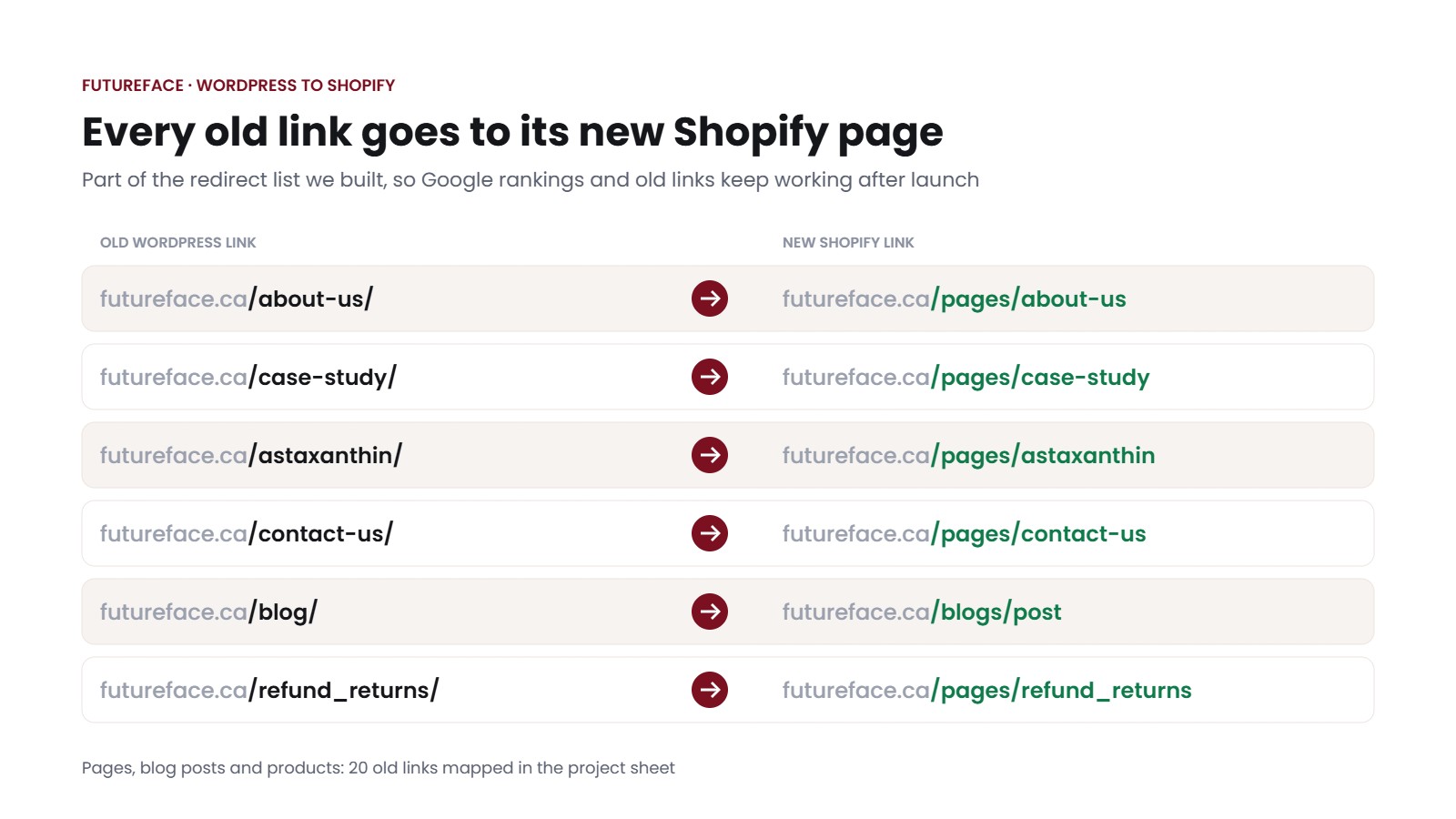
Part of the Futureface redirect list: 20 old links mapped to their new Shopify pages
From our projects
Why Futureface fit in 80 hours
Futureface only had a handful of products, so product data took very little time. The hours went to pages. The brand had a lot of science content on WordPress, and every one of those pages had to be rebuilt on Shopify and checked on a phone. After launch they got 90 days of support, with video instructions for their team. Read the Futureface case study.
Gold Star Fragrances: SunShop to Shopify in about 200 hours
Gold Star is a New York fragrance oil brand with thousands of products. They came from SunShop, an old platform with links like index.php?l=product_list&c=8, and a lot of their products showed a placeholder bottle instead of a real photo. They also wanted a new design. So this move went past our large package. Here's the split by milestone:
| Milestone | What was in it | Hours |
|---|---|---|
| 1. Design in Figma | Research, style guide, homepage, product page, collection page, mobile and mega menu | about 50 |
| 2. Homepage coded | Theme setup, header, mega menu, search, footer and all homepage sections | about 45 |
| 3. Products and collections | Product import with all sizes, product page, collection pages, filters and menus | about 55 |
| 4. Pages and settings | About, contact, FAQ, legal pages, shipping, payments, redirects and speed | about 30 |
| 5. Launch | Customers and orders, test orders, domain, tracking, email popup and flows | about 20 |
| Total | About 6 weeks from kickoff to launch | about 200 |
Look at the first row. A quarter of the hours went to design before we wrote a line of code. Without the redesign, the rest of the work comes to about 150 hours, which is our large package. The redesign is the single biggest swing in any migration quote.
Was it worth it for them? Within a year their orders went from 10 a day to 30-50, and their conversion rate from about 1% to 4-5%. The full story is in the Gold Star case study.

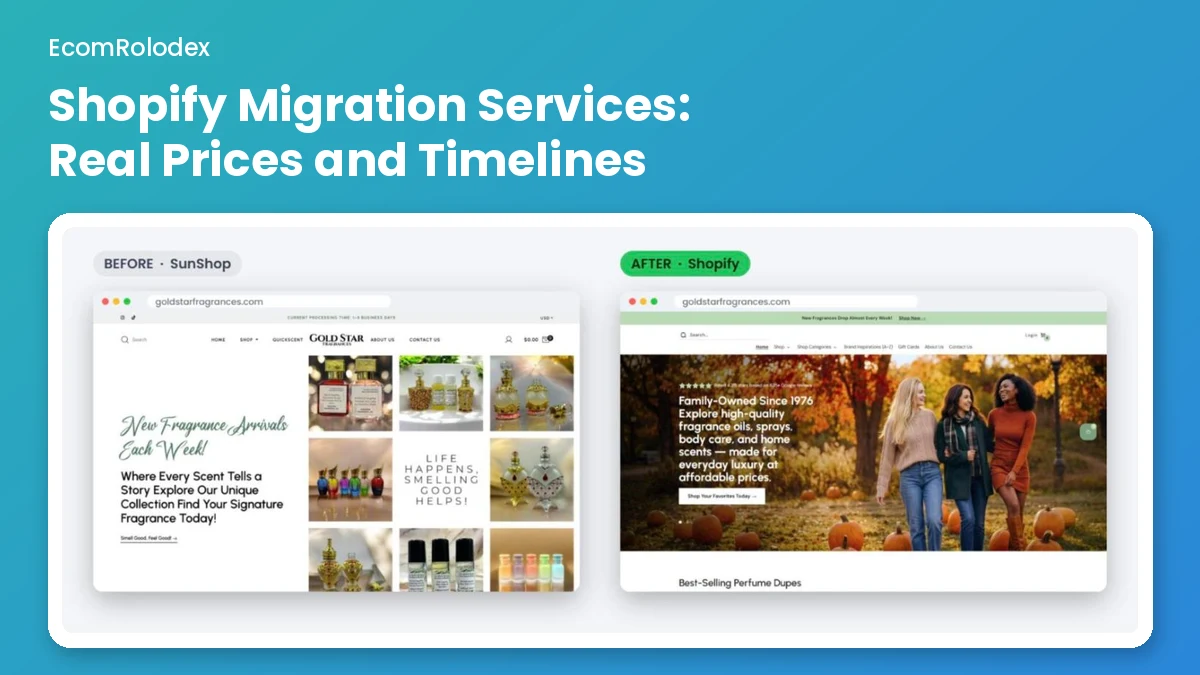
Gold Star's homepage before (SunShop) and after (Shopify). The new design was about 50 of the 200 hours
From our projects
Every task priced in hours before we start
Before any design or code, I sent Gold Star a proposal with every task listed and estimated in hours: homepage, collection pages, product page, mobile, moving products, moving customers and orders, redirects, speed, legal pages, shipping. We split it into 4 milestones and the launch, and the client approved each milestone before the next one started. If a quote you get is one number with no task list, ask for the list. That's where you see what you're paying for.

Ben from Gold Star after the move from SunShop to Shopify
Not sure which of these three your store is closer to? Send me your store link on WhatsApp and I'll tell you roughly how many hours your move needs.
What drives the cost of a Shopify migration
Every migration quote we send comes down to these 6 things. They're in the order they usually move the price.
| Cost driver | Why it adds hours | What we saw |
|---|---|---|
| 1. A new design | Research, a Figma design, approval rounds, then every section coded | Gold Star: about 50 hours of design before any code |
| 2. Products and variants | Every size or color has to land as a variant with the right price, SKU and photo | Gold Star: importing all sizes as variants took about 12 hours on its own |
| 3. Old data quality | Missing photos, messy categories and odd links need cleaning before or after the import | Gold Star: products with a placeholder bottle instead of a photo |
| 4. Pages and blog posts | Each page gets rebuilt with Shopify sections and checked on a phone | Futureface: 6 science pages, a case study page and the blog |
| 5. Custom features | Subscriptions, reviews, bundles or order forms each need an app picked, set up and tested | Futureface: Appstle subscriptions, reviews moved to Judge.me |
| 6. Redirects | Every old link needs its new page, so Google and old links keep working | Gold Star: saving the old links and creating the new ones took about 3 hours, adding the redirects about 2 |
Customers and orders are usually the cheap part. On Gold Star, exporting products, customers and orders from SunShop took about 2 hours. One thing to plan for: passwords don't move. Shopify's help center says you can't migrate customer passwords from another store with a CSV, so after the import you invite customers to create new ones. Plan a short email for that around launch day.
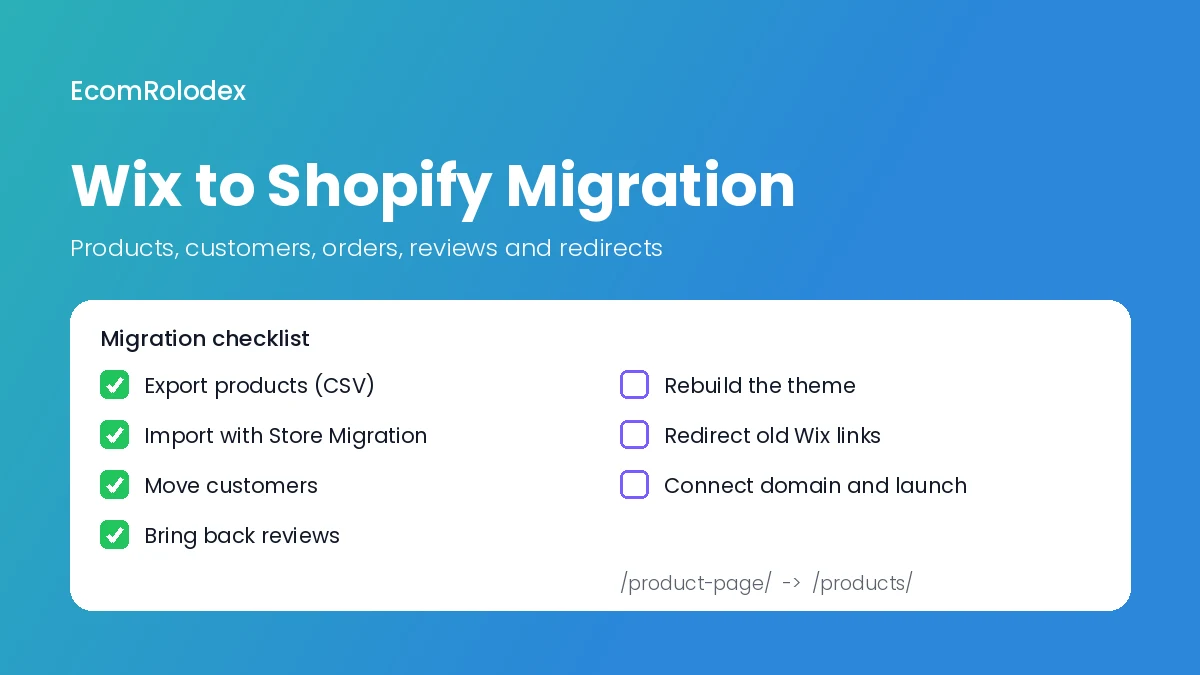
The platform you come from matters less than people think. What matters is how clean the data is when it comes out. If you're on Wix or WooCommerce, our Wix to Shopify and WooCommerce to Shopify guides show what moves and what doesn't on each one.
Want every step written down before you get a single quote? Our migration plan has the export list, the redirect sheet and the launch day checks.
DIY vs hiring someone: what each really costs
If you move the store yourself, here's what you pay for. All prices checked on the official pages on November 15, 2026.
Your Shopify plan
Basic is $39 a month, or $29 a month if you pay yearly. Grow is $105 (or $79 yearly), Advanced is $399 (or $299 yearly), and Plus starts at $2,300 a month. Right now new stores get 3 days free, then $1 a month for 3 months. See Shopify's pricing page, and our breakdown of what Shopify costs per month.
The import app
Shopify's own Store Migration app is free. It moves product and customer data from WooCommerce, Wix, Square, Etsy, Amazon, eBay and a few others. If you need more control, Matrixify has a free plan for 10 items, then $20 a month (5,000 products, 2,000 customers, 1,000 orders per file), $50 a month (50,000 products, 20,000 customers, 10,000 orders) and $200 a month with no limits.
Redirects
Redirects are built into Shopify. You can add them one by one or import a CSV, up to 100,000 on the normal plans. The work is making the list, not loading it.
Your time
This is the real cost. The apps move data. They don't design pages, pick apps, rebuild your content or test the checkout. On our moves that work is most of the hours, even on the small ones.
My honest take: doing it yourself makes sense when you have a short product list, you like your current design, and you have no subscriptions or custom features. Hire someone when you want a new design during the move, you have hundreds or thousands of products with variants, you get real traffic from Google you can't lose, or the store has to be live by a date like Black Friday.
Our 3 migration packages
These are the packages we sell. The rate goes down as the move gets bigger.
| Package | Hours | Rate | Price | Closest real move |
|---|---|---|---|---|
| Small move | 30 | $45/h | $1,350 | Scanmarker, WordPress to Shopify (about 35 hours) |
| Standard move | 80 | $35/h | $2,800 | Futureface, WooCommerce to Shopify (80 hours) |
| Large move | 150 | $30/h | $4,500 | Gold Star without the redesign (about 150 of its 200 hours) |
If your move needs more than 150 hours, like Gold Star with its new design, I quote it from the task list, hour by hour. What's inside each package and the 6 steps we follow are on our Shopify migration services page.
From our projects
The move is the start, not the end
Gold Star didn't stop at launch. They kept working with us every month: SEO, conversion work and emails in Omnisend. Over that first year their orders went from 10 a day to 30-50. When you budget a move, keep a little aside for the first months after launch. That's when you find what to fix, with real customers on the new store.
Costs after the move
- Your Shopify plan every month (prices above)
- Apps for what the old platform did with plugins: reviews, subscriptions, email. Futureface needed Judge.me for reviews and Appstle for subscriptions. Check each app's pricing page before you pick it, most charge monthly
- A theme: Shopify has free themes, paid ones are a one time fee
- Support after launch: plan for questions and small fixes in the first weeks. Futureface had 90 days of support from us

A client after a couple of years of working with us
6 ways to keep your migration cost down
- Clean your catalog first. Delete dead products and old variants before the move. Every product that moves gets imported and checked, so you pay for the ones nobody buys too.
- Decide on the design before the quote. Keep the look or redesign? On Gold Star the design was a quarter of the hours. If your current design doesn't sell, I'd do it during the move, so the theme gets set up once.
- Send the full list up front. Every page, app, feature and integration you use today. Surprises after the quote are new hours.
- Export your old links. A list of your old URLs (your sitemap is a good start) saves time on the redirects and protects your Google traffic.
- Get photos ready. Missing or poor product photos are the slowest thing to fix after the import, as Gold Star's placeholder bottles showed us.
- Approve fast. Work moves milestone by milestone. A design waiting a week for an answer is a week added to the launch.
FAQ
How much does it cost to migrate to Shopify?
With our team, $1,350 to $4,500 for most stores (30 to 150 hours). Our last three moves took about 35, 80 and about 200 hours. Doing it yourself costs your Shopify plan plus an import app, from free (Shopify's Store Migration app) to $20 to $200 a month (Matrixify), and your own time.
How long does a Shopify migration take?
Our last two moves took 3 weeks (Futureface, 80 hours) and about 6 weeks (Gold Star, about 200 hours with a full redesign). The design and the number of products decide most of it.
Does Shopify charge a fee to migrate?
Shopify's own Store Migration app is free on the App Store. You pay for your Shopify plan and any paid apps you add.
Can I migrate my store to Shopify myself?
Yes, if the store is small and simple. The free app moves products and customers. You'll still set up the theme, rebuild your pages, add the redirects and test the checkout yourself.
Will I lose my Google rankings when I move?
Not if every old link gets a redirect to its new page. Shopify has redirects built in and lets you import them by CSV. On Futureface we mapped 20 old links, on Gold Star the old SunShop collection links went to the new collections.
Do customer passwords move to Shopify?
No. Shopify doesn't let you migrate customer passwords. Customers get an invite to create a new password after the import.
Should I redesign during the migration or after?
If your current design isn't selling, during. You set up the theme once instead of twice. If the design works and you just need a better platform, move first and improve after launch.
Pricing your move to Shopify?
Send me your store link. I'll tell you which package fits and how many hours your move needs.
Or start with the free migration plan.