



Average order value (AOV) is the average amount a customer spends per order in your store. Shopify calculates it as gross sales minus discounts, divided by the number of orders, so shipping, taxes and returns are not part of the number.
I'm Nick Ursu, a Shopify conversion expert for 9+ years, and my team and I have done 1,300+ Shopify projects since 2017. AOV is one of the first numbers I open on a new client store, because it shows how much room there is in the cart. Below you'll see how Shopify counts it (most owners expect something else), where to find it, and the 5 things we add to stores to raise it, with the real numbers we got.
Bonus: run your store through our free Store Analyzer. It checks your cart, product page and speed, and shows what to fix first to get bigger orders.
Quick overview
- How Shopify calculates AOV: what's in it and what's left out
- Where to see AOV in Shopify, with a real report from a client store
- 5 ways we raise AOV: cart upsells, shipping protection, a free shipping amount, bundles and tiers, a post-purchase offer
- Why AOV alone can fool you
- FAQ
How Shopify calculates average order value
Shopify's own sales report help page gives the formula:
AOV = (gross sales - discounts) / number of orders
Gross sales is product price times quantity, before taxes, shipping, discounts and returns. Shopify's example on that page: $1,000 in gross sales, $200 in discounts and 10 orders give an AOV of $80. The $150 of shipping and $100 of taxes in the same example are left out.
| What happens in an order | Counted in Shopify's AOV? |
|---|---|
| Product price x quantity | Yes, that's gross sales |
| Discount codes and automatic discounts | Yes, taken off |
| Shipping | No |
| Taxes | No |
| Returns, exchanges and order edits | No, the report leaves out changes made after the order (a filter you can switch) |
| Pending, unpaid and canceled orders | Yes, Shopify keeps them in its reports |
| Test orders | No |
This is why the AOV in Shopify rarely matches your total sales divided by orders, or the AOV your ads or email app shows. Those tools can count the full order with shipping and tax. When a client asks me why two dashboards show two different AOVs, this is the first thing I check.
Where to see AOV in Shopify
- Analytics: the overview dashboard tracks average order value next to sales, orders and returning customer rate. Click the name of the card to open the full report (Shopify's guide to the dashboard).
- Analytics > Reports: filter by Sales and open "Average order value over time". You can group it by day, week, month, day of week and more.
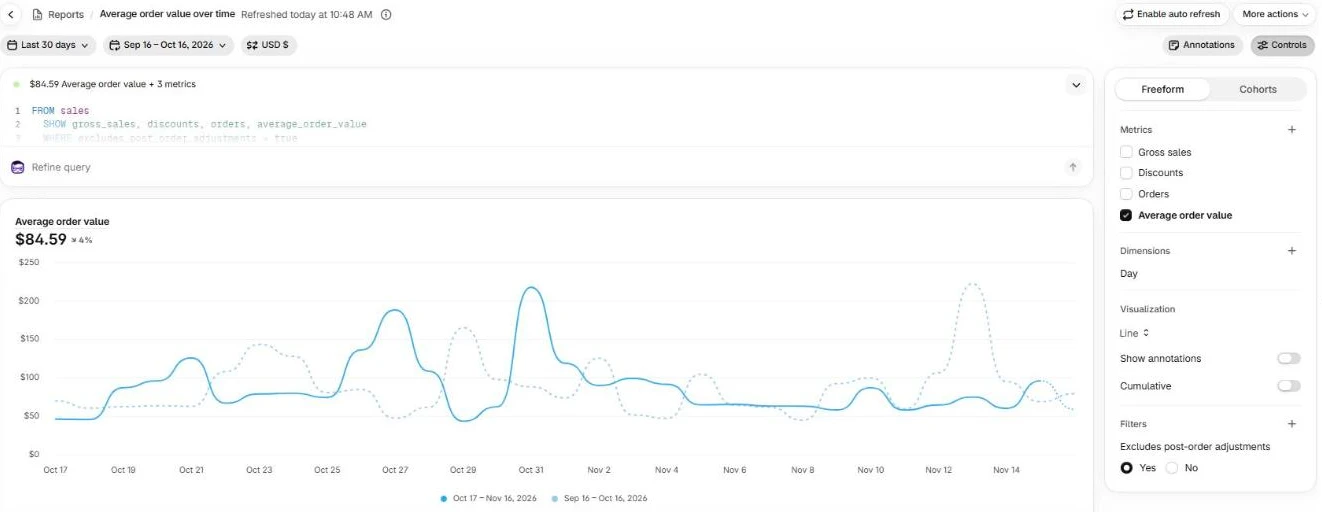
The "Average order value over time" report in a client store we manage, last 30 days, store name hidden. The query at the top shows what Shopify uses: gross sales, discounts and orders.
Look at the daily line, not only the total. In this store the 30-day AOV is $84.59, but single days jump past $200 when a few big orders come in, and most days sit well under the average. One big order pulls the average up. So before you pick a free shipping amount or a bundle price, check what a normal order looks like on a normal day.
5 ways we raise AOV on Shopify stores
These are in the order I usually set them up. The first 2 touch every cart, so they move the number fastest.
1. A cart upsell that fits what's already in the cart
Show 1 to 3 products in the cart drawer that make sense with what's in it: the refill, the smaller size, the matching item. One click adds it, no new page. On a phone keep it short, because every extra product pushes the checkout button further down.
We use our upsell app for this, Flex Upsell Cart, and we install it free for our clients when a cart upsell fits the store. You can see the full cart rework we did for More Than Lips in our cart and checkout case study.
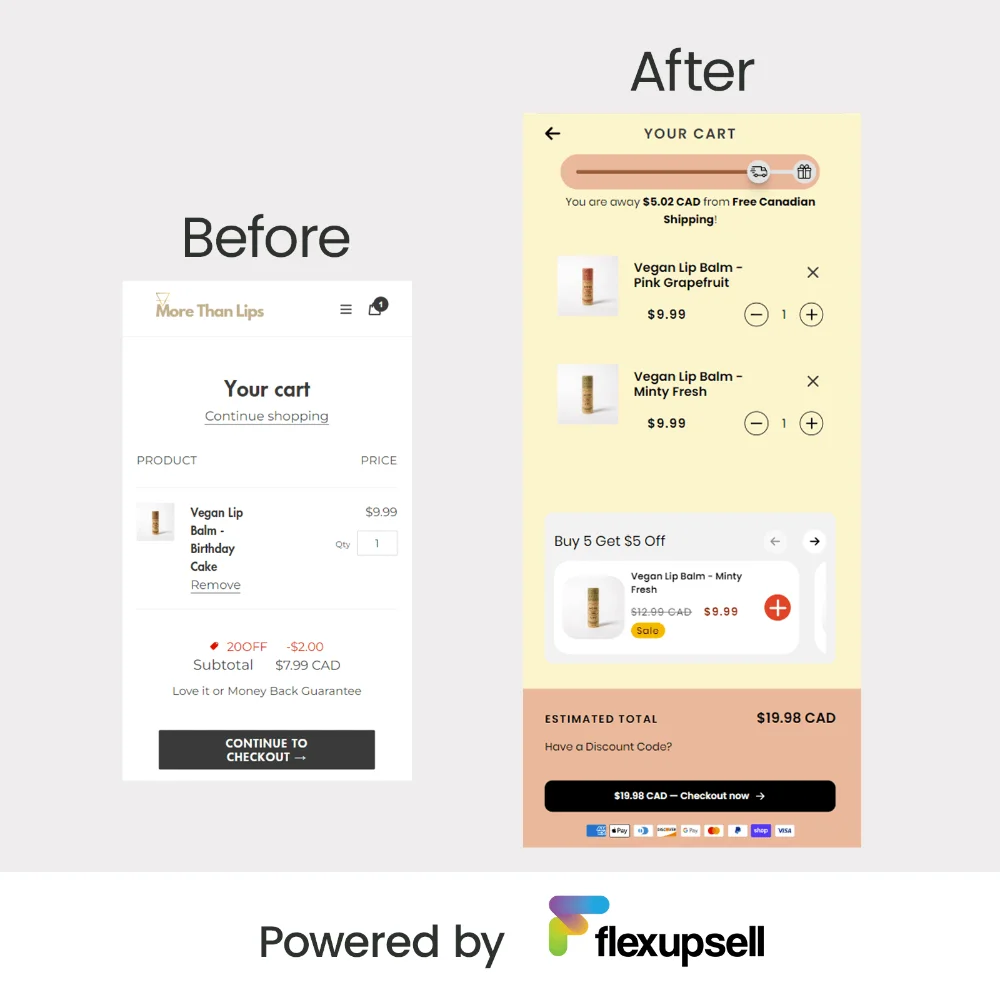
More Than Lips (Toronto) cart before and after: free shipping bar, cart offers, 1-click upsells. Their conversion went up 54% in 90 days.
From our projects
A gourmet cookie brand in India used Flex Upsell Cart in its cart. Its shoppers claimed 43,468 cart offers, for Rs.656,390 in upsell revenue, about 40 times what the app cost them. For a vitamin brand we built a custom upsell together with subscriptions: 40% more sales and 10% more monthly recurring revenue.

A result a store using Flex Upsell Cart shared with us: AOV up 30%+ in 30 days.
Not sure what your cart is missing? The Store Analyzer checks it in a minute.
2. Shipping protection as a checkbox in the cart
A small checkbox in the cart covers the parcel against loss or damage for a few dollars. It's added to the cart as a product, so it counts in gross sales and lifts AOV on every order that keeps it. It also answers a worry people have before they pay.
From our projects
For a US client store with a lot of small orders, we added shipping protection as a $4.95 checkbox. In 202 days (April 5 to October 23, 2026) it brought $22,494 in extra revenue from 5,082 orders, and 79% of shoppers kept it on. What made it work: the checkout button shows the total with protection, and a small "Checkout without protection" link sits right under it, so nobody feels tricked. The full setup is in our shipping protection case study.
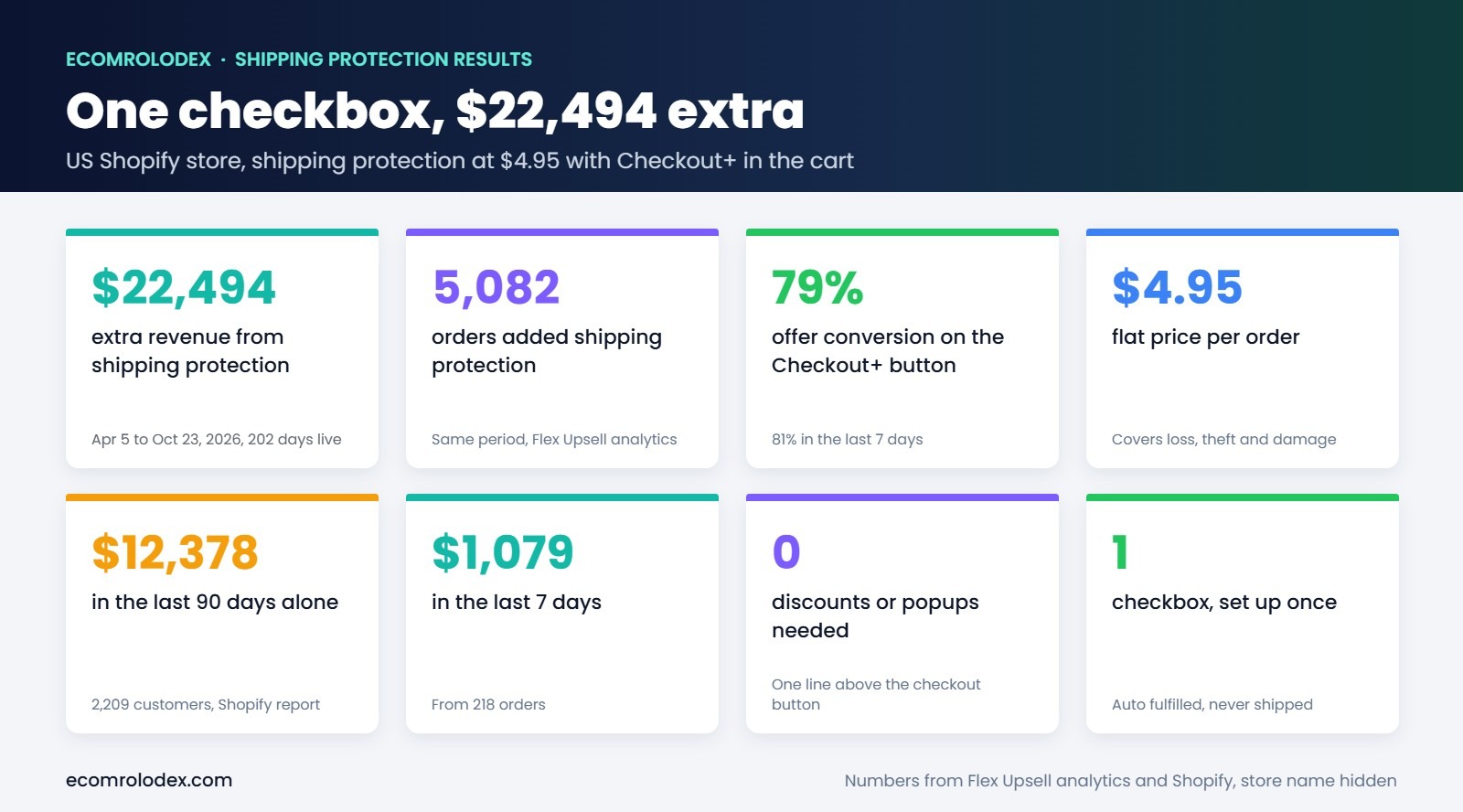
The app's numbers for that store: $22,494 extra from one checkbox.
3. A free shipping amount just above a normal order
If most orders land around $45, free shipping over $50 gives people a reason to add one more thing. Set it too high and nobody tries to reach it. Set it too low and you pay shipping on orders that would have come anyway. A bar in the cart that says how much is left ("$8 away from free shipping") does the rest. We wrote a whole guide on the Shopify free shipping bar and how to pick the amount.
From our projects
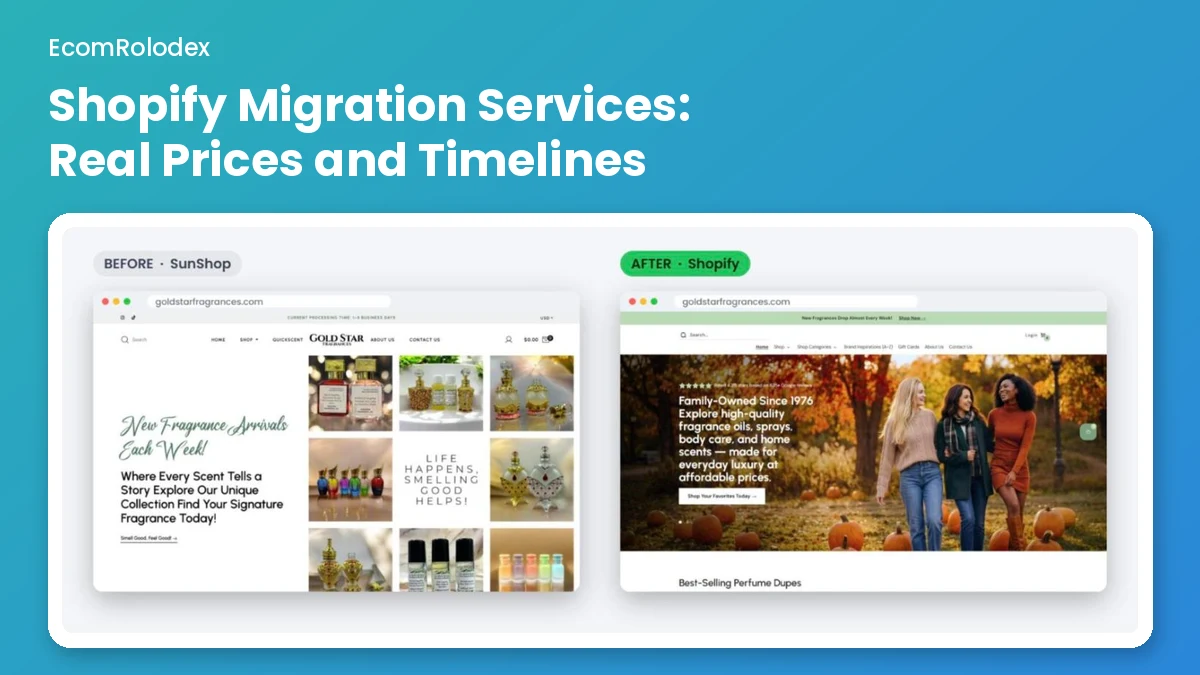
For GoldStar Fragrances' Veterans Day offer this month we set free shipping over $50 and $10 off over $100, with a bar and a countdown in the cart and an email ready to go. I picked $50 from the store's own order numbers: 50 matched how people buy there.
On another perfume store we work on, we found the product pages promising free shipping over $50 while checkout charged $10.95. The discount behind the offer had expired and nobody noticed. So place a test order every time an offer starts or ends.
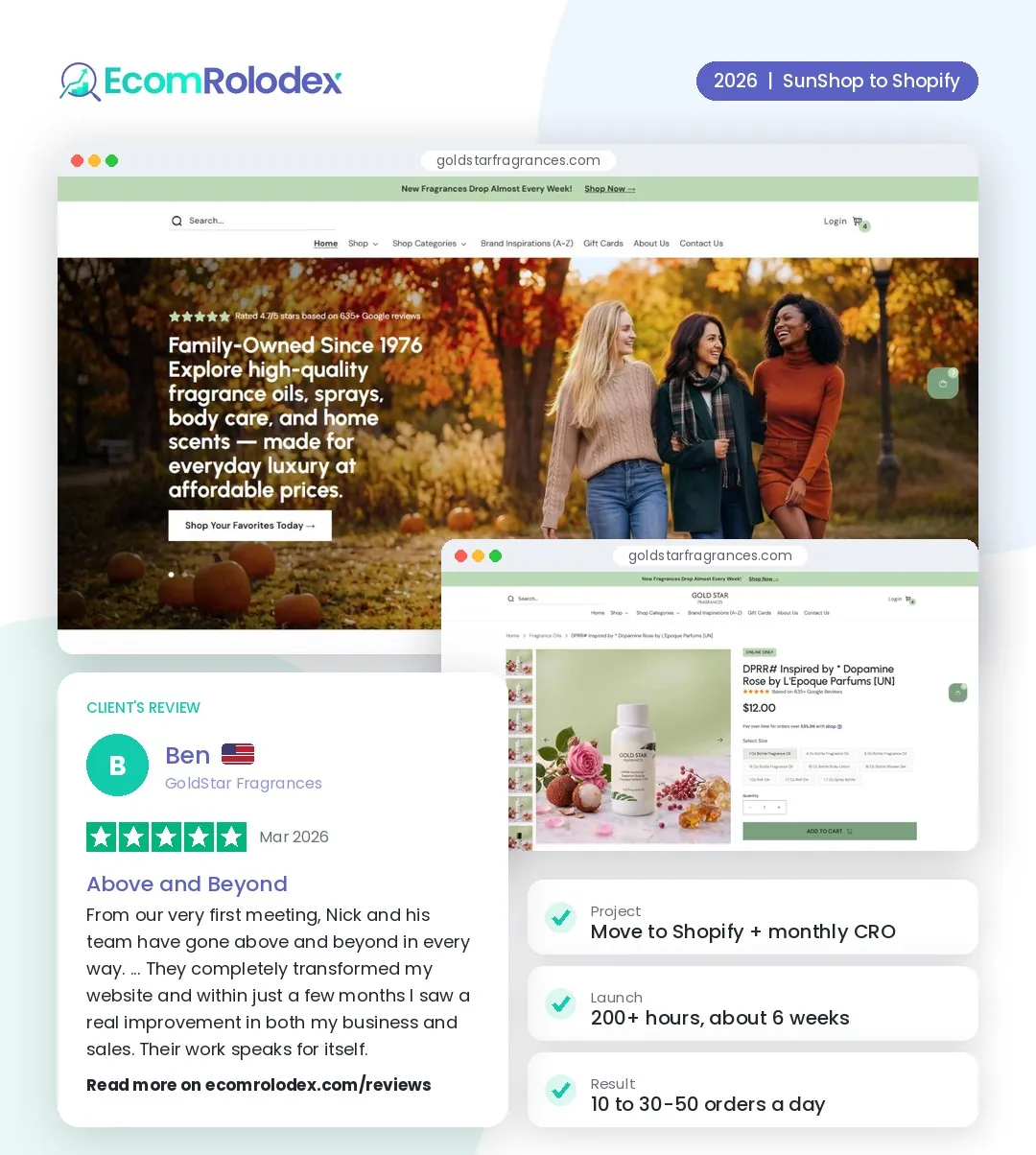
Ben from GoldStar Fragrances on working with us: from 10 to 30-50 orders a day.
Before you pick your amount, check what shipping really costs you per order and what's left after it. Our free calculator does it with your own numbers.
Open the Profit Margin Calculator
4. Bundles and "spend more, save more" tiers
A bundle gives a clear reason to buy 2 or 3 instead of 1. The 2 kinds I use most: a set of products that belong together, and a tier on the same product (buy 2, save 10%). The second step of the GoldStar offer above, $10 off over $100, is the same idea for the whole cart.
Price the bundle so the saving is easy to see, and show it on the product page, not only in the cart. If people only find it at the end, most of them never do.
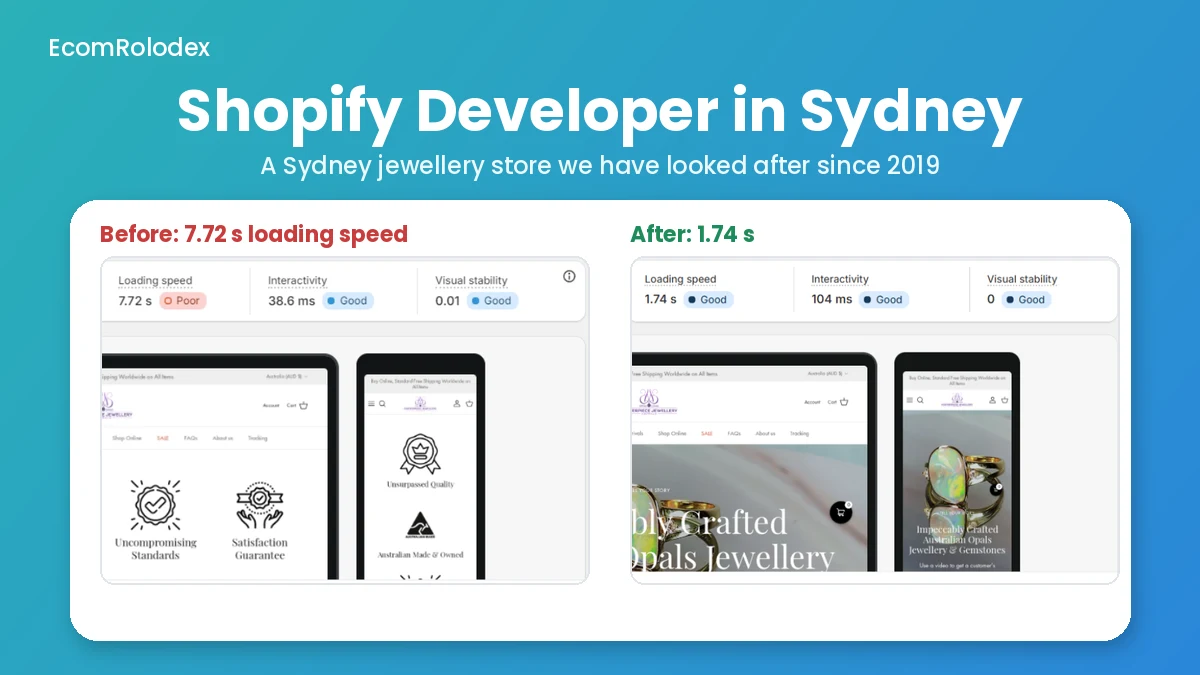
On a high ticket store you can use a free gift instead of a discount. For a Sydney opal jeweller we have worked with since 2019, the cart adds a free gift automatically on orders over A$500 (the full story is on our Shopify developer in Sydney page).
From our projects
For dotdotsee, a premium men's performance apparel brand from Dublin, we built a founders bundle into the new store, next to the upsell cart (dotdotsee case study). And when we studied dupe perfume brands for a fragrance client, one of them had 145 ads running, and its main offer was "any 3 for $99". A bundle can be the whole pitch, not an extra.
5. A post-purchase offer
After payment, an app can show one more product on the thank you page with a one-click add. The order is already paid, so it can't cost you the sale. Offer something small and related at a discount: a refill, a sample, a second unit.
I set this one up last, after the cart offer and the free shipping amount, because those work on every cart. One tip: check if your app adds the item to the same order or makes a new one. It changes what Shopify's AOV report shows, and then the before and after numbers don't compare.
Why AOV alone can fool you
A higher AOV only helps if conversion stays the same or goes up. Push too many offers and you get bigger orders from fewer people. So I watch AOV and conversion rate together, or simply sales per visitor.
From our projects
On one redesign, the store had the same 14,900 visitors before and after. Orders went from 422 to 798 and conversion from 2.66% to 5.02%. AOV stayed almost flat, about $237 before and after. The whole gain came from more people buying, not bigger orders. That's why our conversion rate optimization work always starts with both numbers.
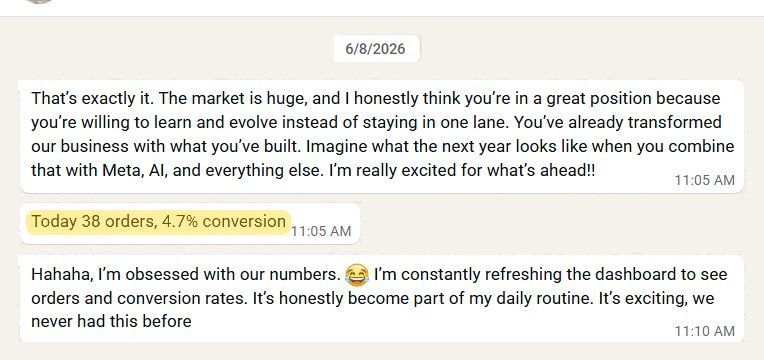
A client's messages to us: 38 orders in a day at 4.7% conversion.
If you want us to look at your cart and tell you which of these 5 fits your store first, our $49 store review is the quickest start. You get a video on your own store and the fixes to make first.
FAQ about average order value on Shopify
Does Shopify's average order value include shipping?
No. Shopify uses gross sales minus discounts, and gross sales is before shipping and taxes. If you divide the total your customers paid by your orders, you'll get a higher number than Shopify shows.
Does it include taxes?
No, taxes are left out the same way as shipping.
Are returns and refunds taken out of AOV?
Not in the default report. The "Average order value over time" report has a filter called "Excludes post-order adjustments" set to Yes, so returns, exchanges and edits made after the order don't change it. Switch the filter to No if you want to see them.
How do I calculate AOV myself?
Take gross sales for a date range, subtract discounts, and divide by the number of orders in the same range. Use the same dates every time you compare, and compare the same days of the week, because weekends and sale days move it a lot.
What is a good AOV for a Shopify store?
There isn't one number for every store, it depends on what you sell. A store selling $15 soaps and a store selling $500 jewelry will never have the same AOV. I compare a store with its own last 90 days, and with what it costs to get one order. If ads cost you $30 per order and your AOV is $40, raising AOV is often the fastest way to make the ads profitable.
How long until I see AOV go up?
A cart upsell or a free shipping amount can go live in a day. Give any change 2 to 4 weeks of orders before you judge it, and look at conversion in the same period.
Can raising AOV hurt conversion?
Yes, if the offers get in the way: popups before checkout, too many products in the cart, or a free shipping amount far above a normal order. Add one change at a time and watch both numbers.
Want bigger orders from the traffic you already have?
Run your store through the free Store Analyzer, or book a call and I'll look at your cart with you.