


Black Friday is this Friday, November 27, and Cyber Monday is November 30. After that the holiday season keeps going until Christmas and New Year.
Every year I see the same thing on the stores we work on. Traffic goes up, ads get more expensive, and almost every store runs the same 20% off. People are in deal mode. They open five tabs, look for the best code and buy from the store that makes it easy.
I'm Nick Ursu, a Shopify conversion expert for 9+ years, and my team and I have done 1,300+ Shopify projects since 2017. These are 5 ideas I'd try this BFCM. They are not about getting more traffic. They are about making more from the people already coming to your store, and getting them to come back after the sale is over.
Ideas 1 and 2 use Earnback, idea 3 uses CouponShow and ideas 4 and 5 use Flex Upsell. I'll show you how to set up each one.
Bonus: run your store through our free Store Analyzer. It checks your cart, product page and speed, and shows what to fix first.
Earnback, CouponShow and Flex Upsell are apps we built. The Omnisend link in this article is an affiliate link. If you sign up through it we may earn a commission at no extra cost to you.
Quick overview
- Idea 1: Win back past customers before Black Friday
- Idea 2: Give email-only cashback so your list feels exclusive
- Idea 3: Keep all your deals in one place with CouponShow
- Idea 4: Schedule your Black Friday promo and cart rewards
- Idea 5: Run limited time cross-sells in the cart
- Your BFCM and holiday plan, step by step
- FAQ
Idea 1: Win back past customers before Black Friday
Your cheapest Black Friday sale comes from someone who already bought from you. They know the brand, they trust the shipping and you don't pay for the click again. Ads cost more than usual during BFCM, so this matters more this week than any other week of the year.
The problem is most stores send old customers the same discount everyone else gets. A code in an email is easy to forget. Store credit is different. It sits in the customer's account with their name on it, and it has a date when it's gone.
With Earnback you can run a win-back campaign that gives store credit to customers who stopped buying. You can send it to inactive customers, a segment or a tag you already use, or the whole store. It's native Shopify store credit, so the customer sees it at checkout without typing any code.
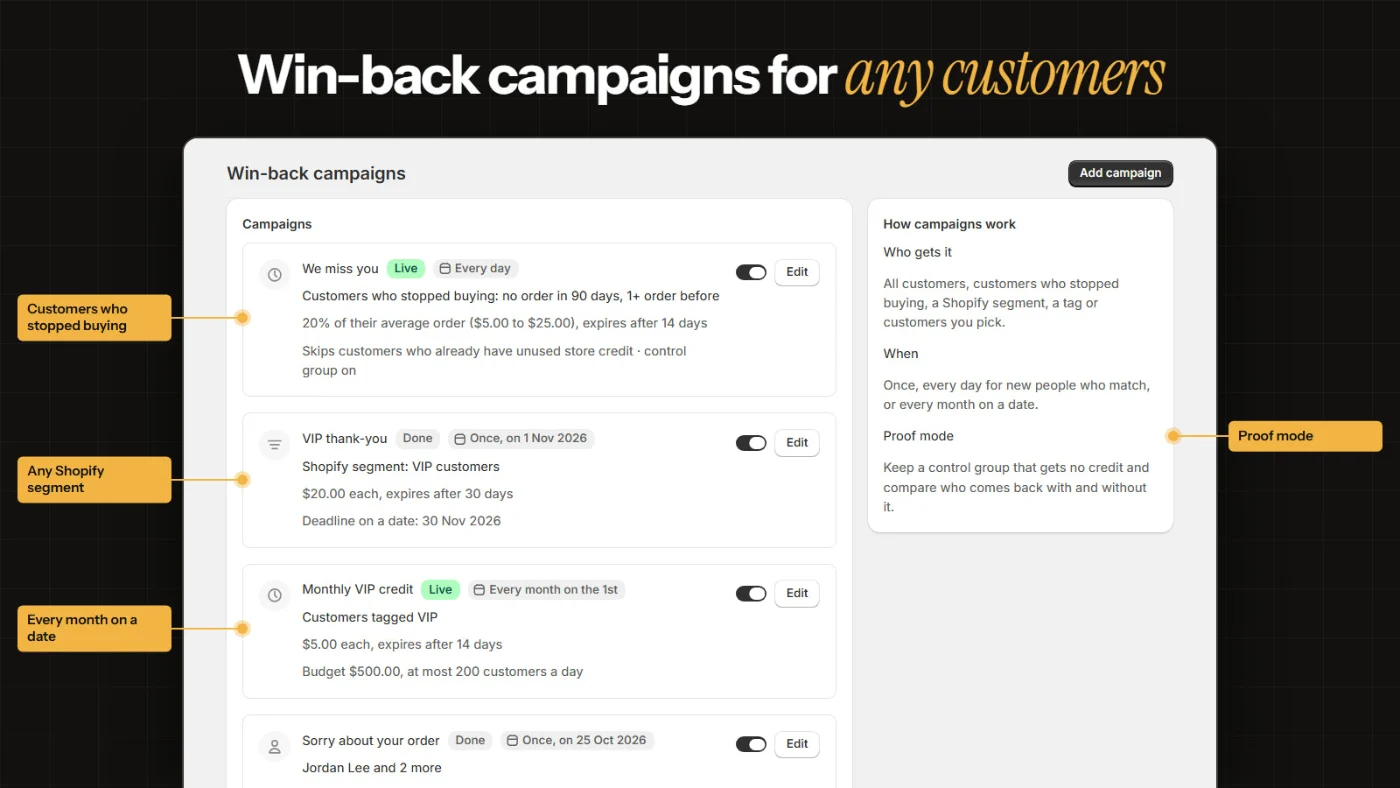
How I'd set it up this week:
- Install Earnback and pick who gets the credit, for example customers who haven't ordered in 90 days
- Give a fixed amount, like $10, with an expiry date a few days after Cyber Monday
- Add a minimum order to use the credit, so it brings a real order and doesn't pay for the whole purchase
- Turn on the reminder with Shopify Flow so people get a nudge before the credit runs out
- Tell them in an email before Friday: "You have $10 waiting for Black Friday"
This is the setup I'm planning for a jewelry brand we manage in Australia: credit for past buyers instead of one more discount code.
Earnback has a free plan for up to 10 cashback orders a month, so you can test it this Black Friday before paying anything.
Get Earnback on the Shopify App Store
Idea 2: Give email-only cashback so your list feels exclusive
On Black Friday your subscribers see the same 20% off that a stranger from a Facebook ad sees. There's no reason to be on your list.
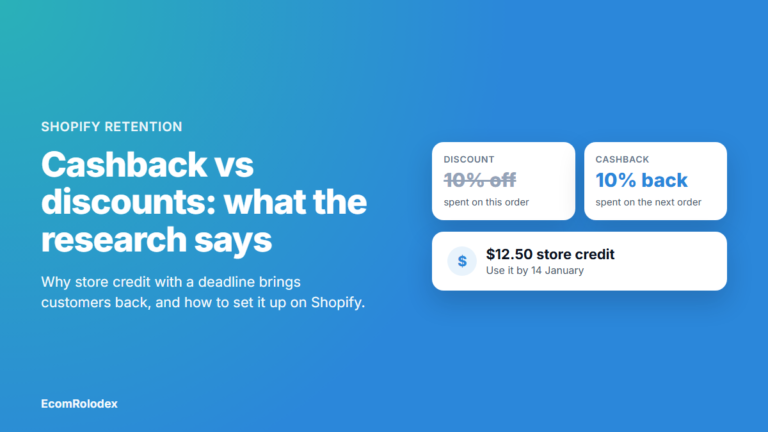
Cashback fixes that without cutting your price again. Everyone gets the Black Friday sale. People who come from your email also get money back as store credit, for example 10% of their order. I explain why this brings people back in cashback vs discounts on Shopify.
In Earnback you do this with a campaign link. A campaign link pays a higher cashback rate than your normal one, and you put it only in your emails. Shoppers who click it get the higher cashback, and you see the analytics for each link, so you know which email brought the sales. You can also set cashback rules by dates, so the higher rate only runs from Black Friday to Cyber Monday.
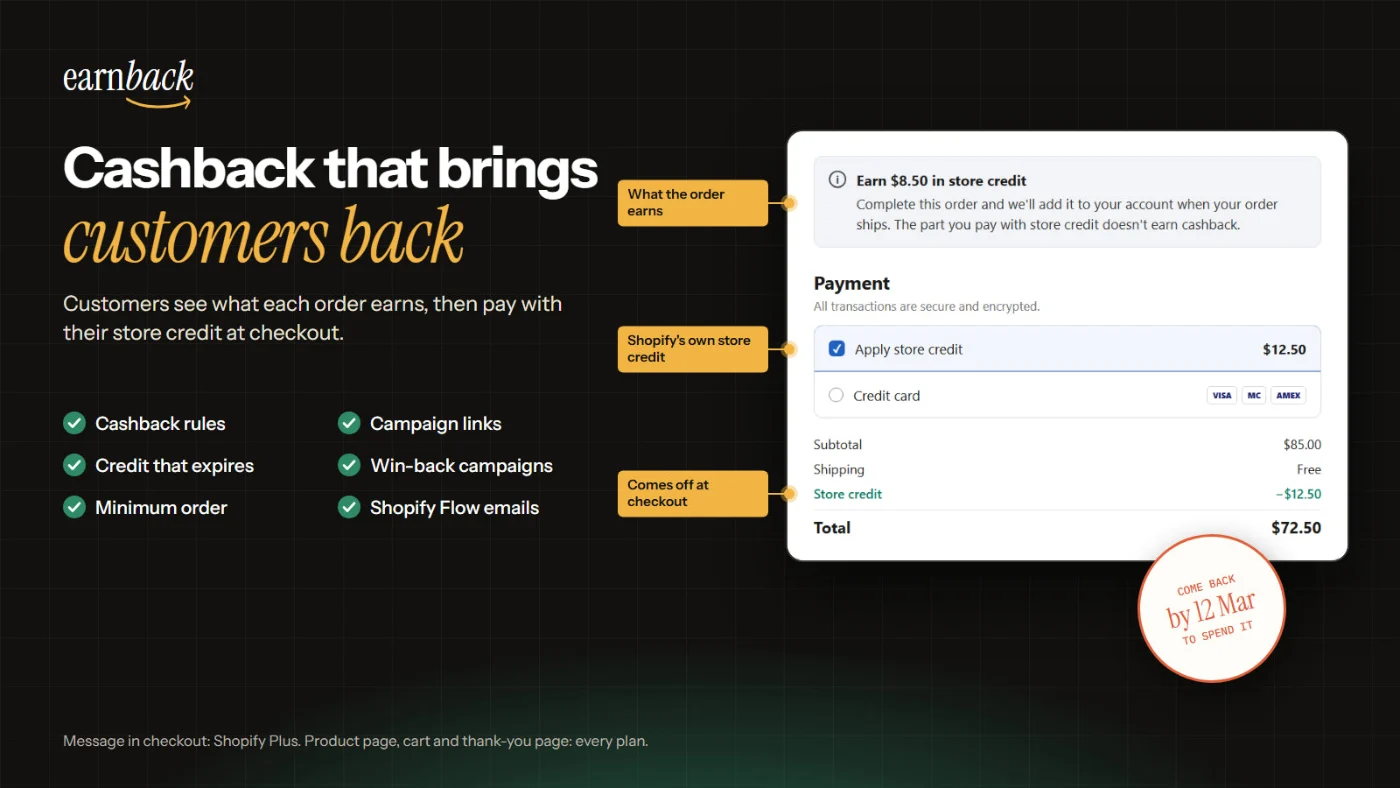
Set that credit to expire in mid January. January is the slow month after the holidays, and now a lot of your Black Friday buyers have money in their account that they lose if they don't come back. That's a second sale from the same customer.
Who to send it to first: for one of our clients this month we send the Christmas sale to people who already bought first, then to subscribers who never bought. The people who know the store best open and click more, and that helps the next sends land in the inbox.
Email is where a lot of the BFCM money is. For GoldStar Fragrances we helped add $100k in email revenue. Angela, the owner, is the one launching emails and testing new ideas every week, and we make sure that traffic buys and comes back.
If you need an email tool for this, we use Omnisend for our clients' email marketing. It has a free plan to start. Earnback doesn't need Omnisend though, the campaign link works in any email, SMS or post.
Idea 3: Keep all your deals in one place with CouponShow
People are looking for deals this week. If they don't see the code on your store, they leave to search for it. They type your store name plus "coupon" in Google, land on a coupon site, try an old code that doesn't work, and some of them never come back.
CouponShow puts every live discount code in one floating box on your store. Shoppers open it and copy the code, or go straight to checkout with it. On phones it opens as a bottom sheet that's easy to use with one thumb.
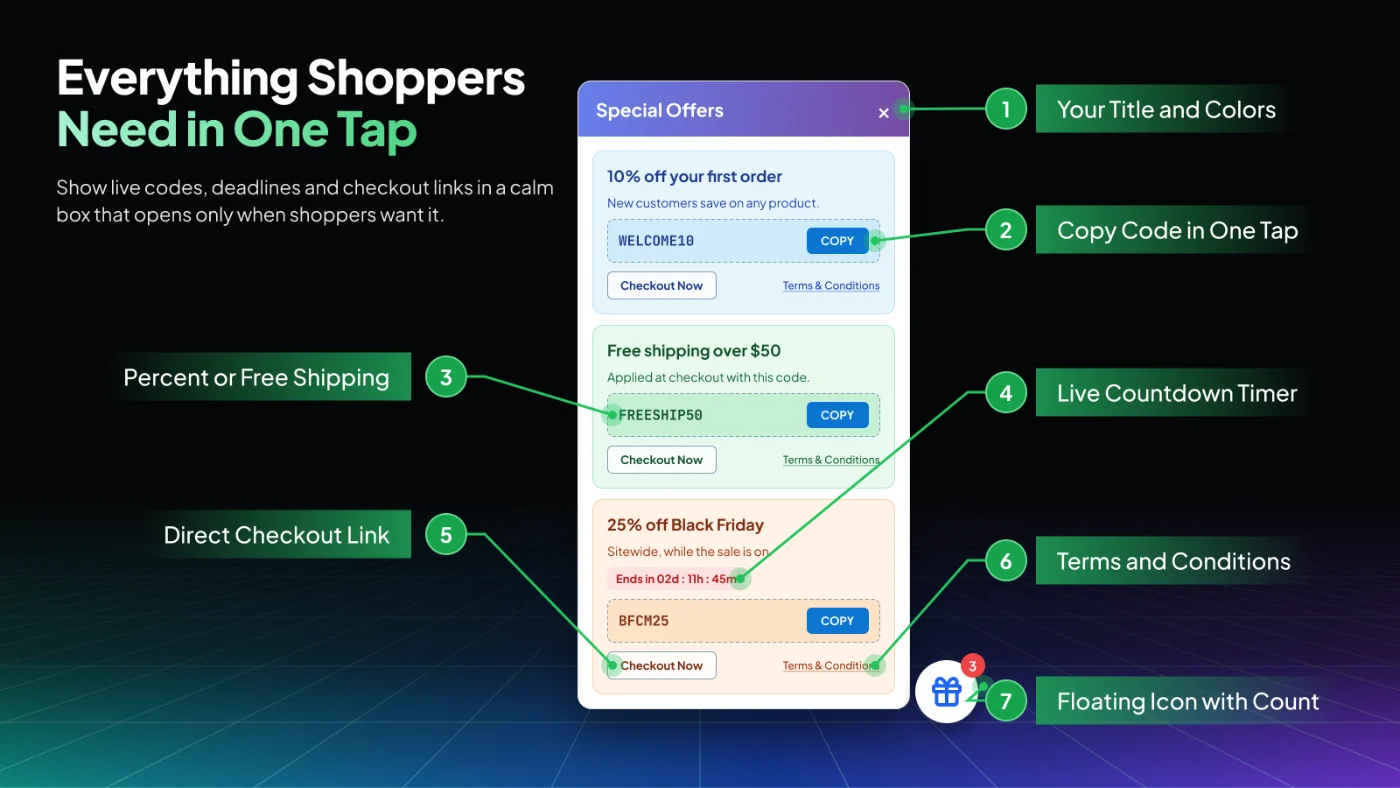
What I'd put in it for BFCM:
- the Black Friday sitewide code with a countdown to the last day
- a code for one collection, for example your gift sets
- free shipping over a set amount, shown as a message with no code
- the welcome code for first orders
- the Cyber Monday code, scheduled to show only on Monday
You can target each offer by page, product, collection, country, cart and dates. So the gift set code shows on the gift collection, the Cyber Monday code turns on by itself on Monday, and a shopper from another country doesn't see a free shipping offer that's only for the US.
It uses the discounts you already have in Shopify. You turn on the app embed in your theme editor and save, no code and no developer. After the weekend you see views, copies, checkouts, orders and revenue for each offer, so next year you know which code made the money.
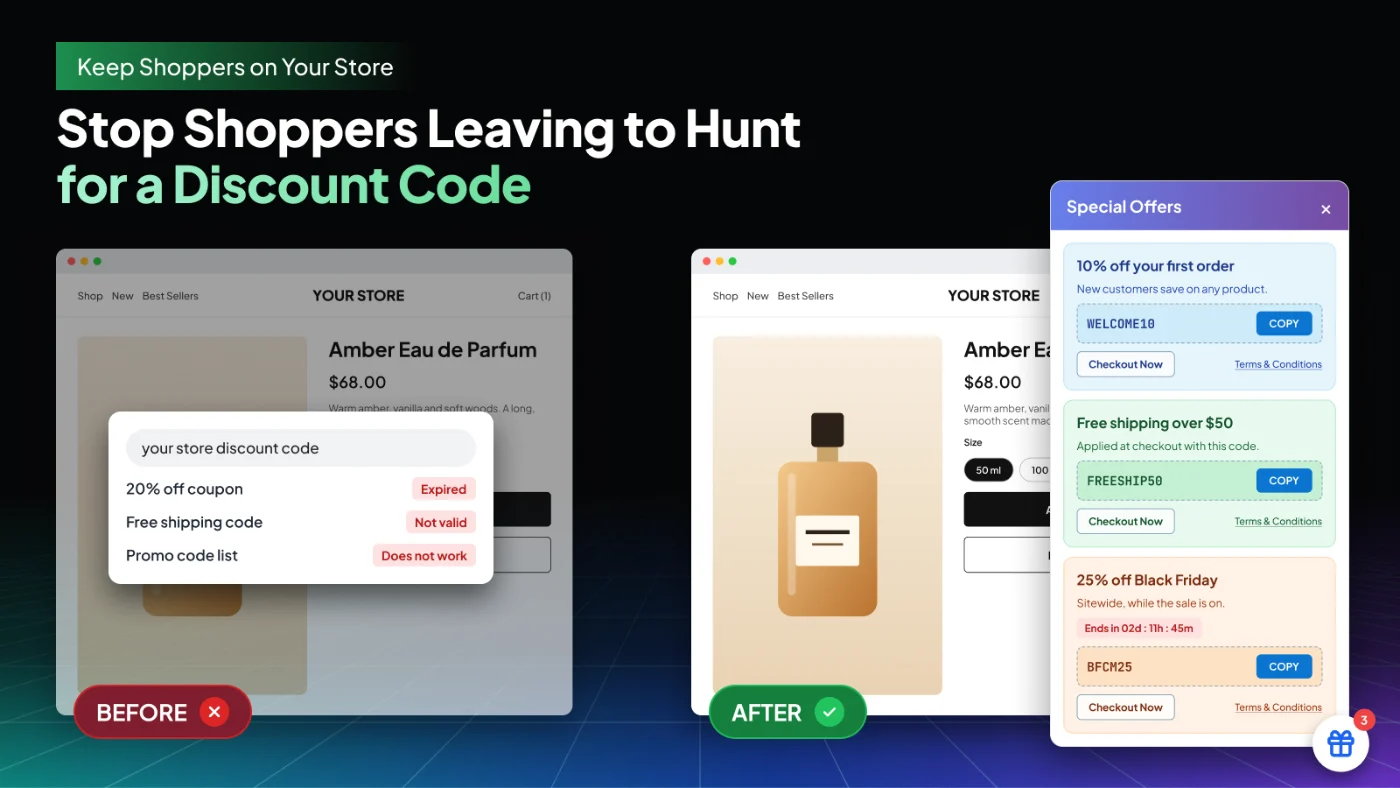
CouponShow also has private offer links, so an offer can stay only for the people you send the link to. That works well with the email-only cashback from idea 2.
Get CouponShow on the Shopify App Store
Idea 4: Schedule your Black Friday promo and cart rewards
The Black Friday mistake I see most is a small one: the announcement still says Black Friday on Tuesday, or the Cyber Monday message goes live at noon because someone forgot to change it.
Flex Upsell has an announcement bar with dates. You write the Black Friday message, set when it starts and when it ends, then add the Cyber Monday one for Monday. It changes on time while you sleep.
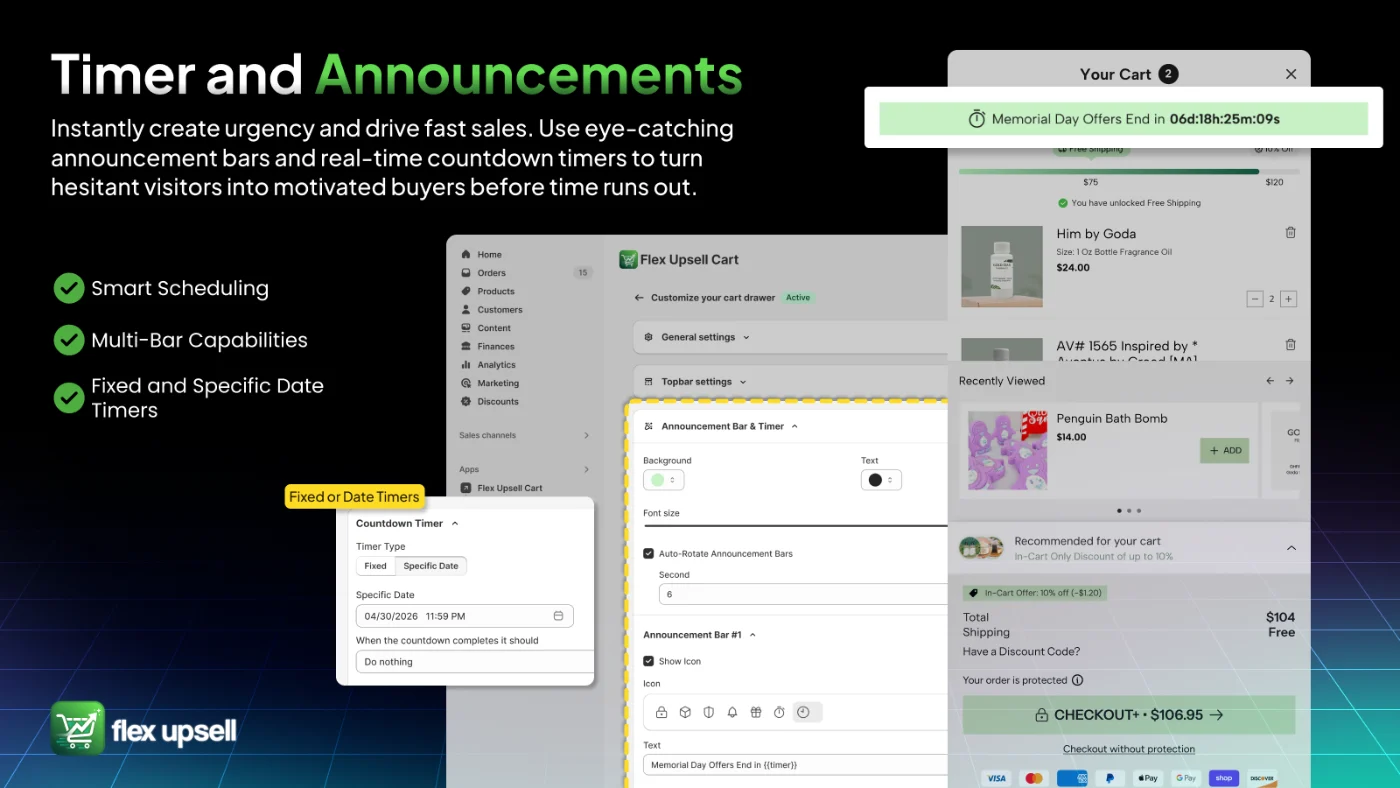
Then set up the rewards. Flex Upsell has 3 reward types you can show on the progress bar in the cart:
- free shipping
- a discount, for example 10% off over a set amount
- a free gift
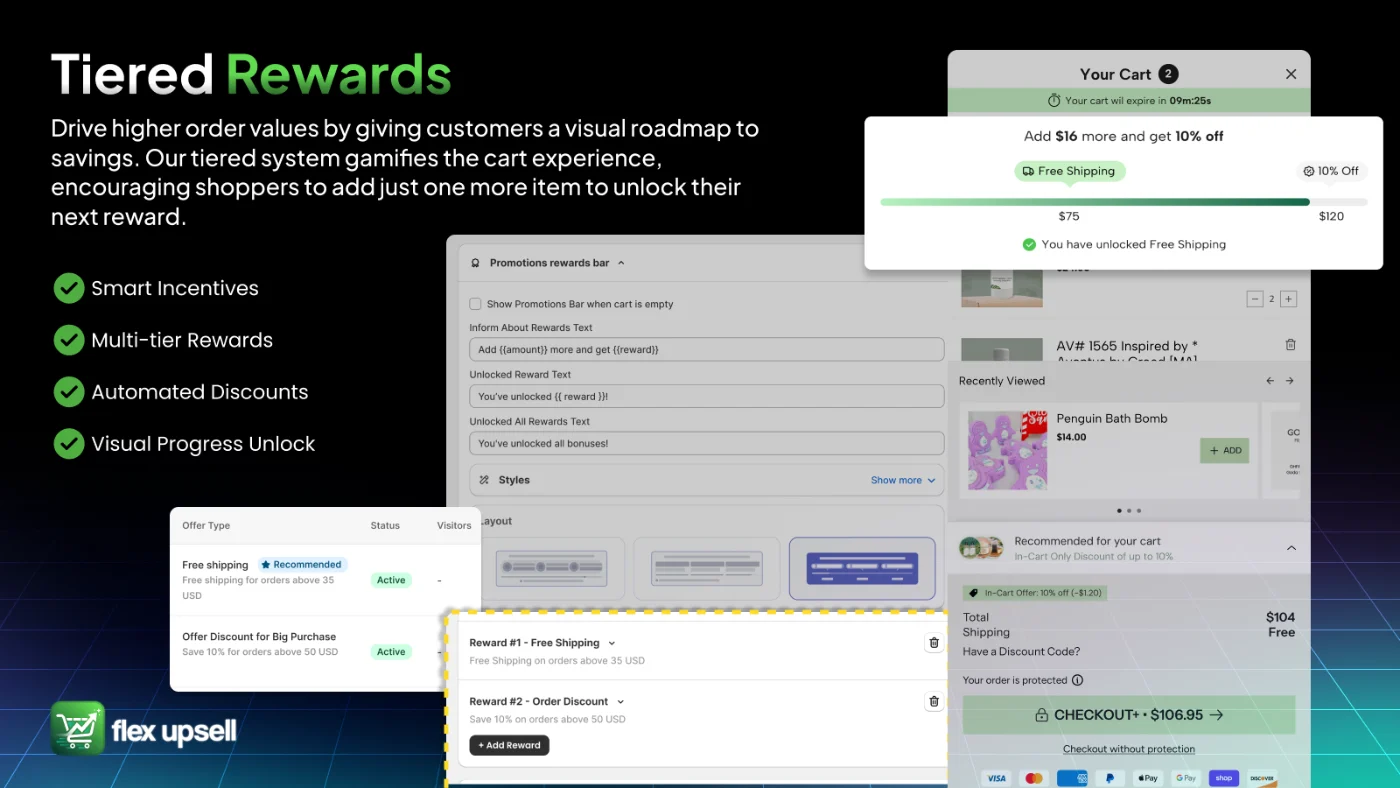
Shoppers see how much more they need to spend for the next reward. Put the first one a bit above your average order. If the reward is below your average order, most people get it without adding anything. A bit above it, they add one more item to get there. For a store with a $60 average order that could be free shipping at $75, 10% off at $120 and a free gift at $150. More on this in how to raise your average order value on Shopify.
You can schedule the cart offers too, so the bigger rewards only run on the sale days.
Idea 5: Run limited time cross-sells in the cart
The cart is where people already decided to buy. It's the best place to add one more item, as long as it's easy and it makes sense with what's already in the cart.
With Flex Upsell you add one-click cross-sells in the cart, like "Add the matching necklace for 20% off". For BFCM, make them limited time: schedule the offer to run only from Friday to Monday and show the countdown timer in the cart. A real end date gives people a reason to add it now.
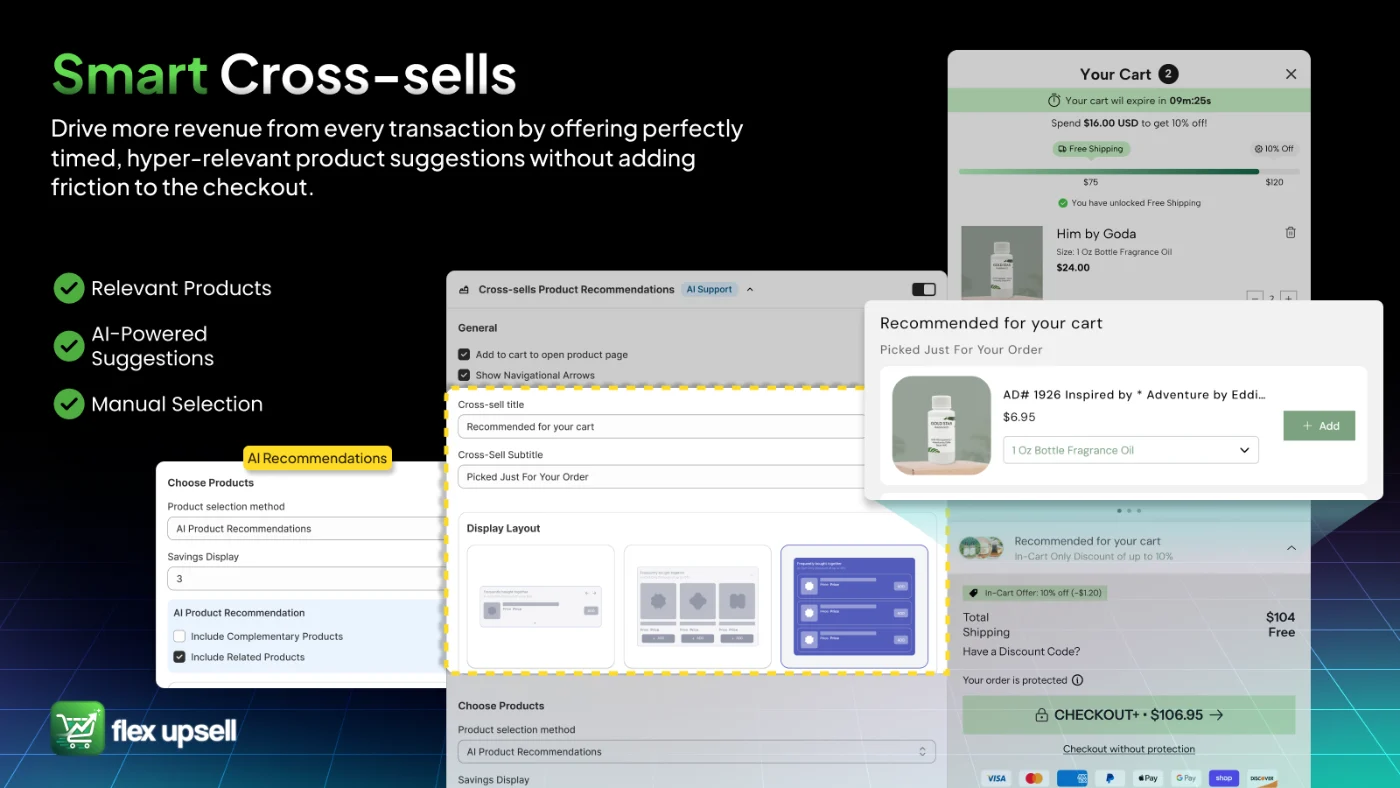
Cross-sells that fit the holiday season:
- the product people often buy together, at a small discount only this weekend
- a small gift under $20 for stocking stuffers
- gift wrap or shipping protection as an add-on
On the AOV Boost plan you get up to 7 cart offers you can schedule anytime, enough for Black Friday, Cyber Monday, the Christmas shipping cutoff and New Year. Flex Upsell is used by 210+ Shopify stores and you can start on the free plan.
Get Flex Upsell on the Shopify App Store
Your BFCM and holiday plan, step by step
| When | What to run | App |
|---|---|---|
| This week, before Friday | Win-back store credit for customers who stopped buying. All your codes loaded in one place. Black Friday and Cyber Monday announcements scheduled | Earnback, CouponShow, Flex Upsell |
| Black Friday to Sunday | Black Friday code with a countdown. Email-only cashback email, past buyers first. Cart cross-sell with a timer | CouponShow, Earnback, Omnisend, Flex Upsell |
| Cyber Monday | Cyber Monday code goes live by itself. Last chance email for the store credit | CouponShow, Earnback |
| December | Christmas shipping cutoff in the announcement. Gift add-ons in the cart. Holiday codes in one place | Flex Upsell, CouponShow |
| January | Store credit expiry reminders bring Black Friday buyers back for a second order | Earnback |
FAQ about Black Friday on Shopify
Is store credit better than a discount on Black Friday?
They do different jobs. A discount lowers the price of this order. Store credit gives money back for the next one, so it brings the customer back after the sale. I'd use both: the sale for this weekend and cashback as store credit to get the next order.
Do I need a developer to set these up?
No. Earnback, CouponShow and Flex Upsell install from the Shopify App Store and you set them up from your Shopify admin. For CouponShow you only turn on the app embed in the theme editor.
Is it too late to do this for Black Friday?
Not if you start today. Install the apps and set up the offers in your Shopify admin, and they can be live before Friday. If you only have time for one, start with the win-back credit for past customers.
Want your store ready before Friday?
Book a call and I'll show you what to set up first on your store, or message me on WhatsApp.